These updates are kept online for the current year plus one year back. Updates two calendar years ago (e.g. 2024 if it is now 2026) and earlier have been archived.
September 2, 2026
Coming soon: Dashboard view (optional)
Push reports
-
Inventory on-hand, unfulfilled orders, and internal-costs reports can be scheduled to auto-generate an email.
Online Ordering: Bulk Invite
-
Invite all customers at once with "share prices in catalog"
Rename inventory item (previously released)
August 19, 2026
Custom fields for documents
-
Administrators can now add custom fields to your invoice, sales confirmation, pick ticket, and BOL printouts (see more)
Notify customer on order adjustment can now be toggled off
-
Default setting has all order changes produce an update to customers. This can now be toggled off
Proportional expense distribution for sales orders
-
Shared expenses now split by unit or pallet instead of always evenly, so margins aren't distorted
Scan-to-Pick updates
- Picker controls the lot assignment
- sales orders can now be edited without waiting - edits reflect on the picker's device quickly (previously had to wait to reopen)
August 5, 2026
This week's updates have primarily been behind-the-scenes, including improvements to SiloPay Collections processes.
Mobile functionality
- Accurate numeric entry including decimals for better functionality while using Silo on your mobile device.
Scan-to-Pick
-
Additional picker-controls including lot assignment and SO editing
August 1-2, 2026
-
Behind the scenes maintenance.
July 22, 2026
Return to Seller available from transferred lots
-
This is an update to vendor credit offerings. More details here
Scan-to-Pick
-
We have begun beta offerings for scan-to-pick. Contact Silo support for more information
July 8, 2026
Universal Search
- The search function at the top right now can be used for universal search to call up information in customers, sales orders, and purchase orders. Note that it will not currently search inside of inventory
URL (webpage address) visibility to differentiate tabs
- This unveils the full URL and tab name for different pages, to differentiate between tabs that may be open to different pages within Silo.
SiloPay function: ACH-return & chargeback experience improvement
- Payment status now distinguishes between Processing, Settled, and Funded instead of simply saying Paid. As a merchant you can choose to hold shipment until funds clear. We recommend this on first-time customers to ensure that you develop the relationship.
Payment Credit - price adjustment
- This updates and corrects the cost on an already-paid PO and issues a vendor credit for future use, without leaving the wrong PO total behind. This corrects issues that distorted reporting.
Blended margin for Sales Order expenses
- Real-time blended margin on the Sales Order screen now factors in expenses added to the order, so the margin reflects the true order cost.
June 9, 2026
Help Center location migrated
- You may see some dust as we sweep up after migrating these Help Center articles to a new system. All of the same information is still available, and we're continuing to build out new supports for you, including our recent form to request support, which actually helps us serve you faster.
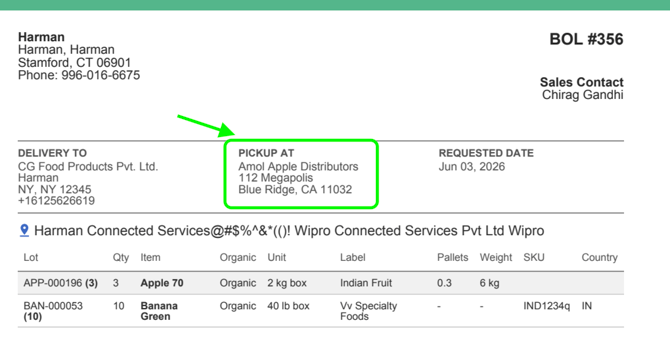
Multi-location document headers
-
Bill of lading, pick ticket, invoice, and sales confirmation now show the order location name in the header (not the company name) for best results for pick-up.
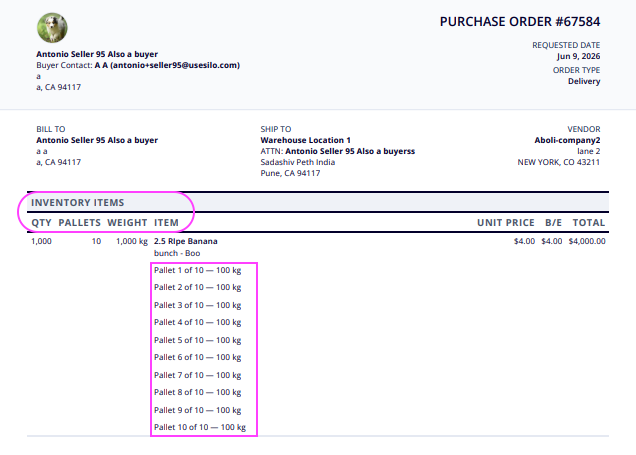
PO lot & pallet detail
-
Two new account settings let customers show lot numbers and per-pallet rows on printed PO documents.
Lot assigned quantity (restored)
-
Lot lines now show all three values: LOT-123 (25) — 50 received / 42 ATS. Restores fulfillment data removed in the April 20 update.
Settlement reports
-
Live
April and May 2026
-
Sales order update added lot assignment options. (April 20)
-
We were focused on behind-the-scenes updates and stabilization during this period. Some minor changes may have appeared in the program.
March 1, 2026
Warehouse menu updates
● 'Packing' is now 'Fulfillment'
● 'Repacks' is now 'Pack-Outs & Repacks'
Nov 11, 2025
Silo Inventory Management System
Access lot details from repacks workflow
● You can now access the lot details of any input and output lot from the repacks screen
Silo Accounting and payments
Total Due
● When recording payments to vendors or from customers, you will now see the total due for that particular customer or vendor.
Aug 27 - Sep 9
Silo Inventory Management System
Print Pallet Labels for Transfers
● You can now easily print pallet labels for all output lots on a transfer from the transfer details panel. We’ve also refreshed the UI of the panel and the Transfers screen for better consistency with the rest of Silo.
Customer Attachments
● You can now attach documents to customers, specify expiration dates for them, and see warnings when creating sales orders for customers with expired attachments.
Silo Accounting and Payments
Cards Fees on Payment Receipts
● If your customer incurs a card fee making a payment through payment portal, it will now be reflected on the receipt you can print from the AR Payments screen. The payment amount shown on the screen will not be affected.
Aug 13 - Aug 26
Silo Inventory Management System
View Blended Margin for Existing SOs
● You can now see the estimated blended margin when viewing or editing an existing SO. This is calculated the same way as when creating a new SO and does not include non-inventory items, SO expenses, or associated credits.
Silo Accounting
Customer Payment Portal Redesign
● Your customers will see a new & improved UI when sending you payments via Silo’s payment portal.
Jul 30 - Aug 12
Silo Inventory Management System
Flag sales orders
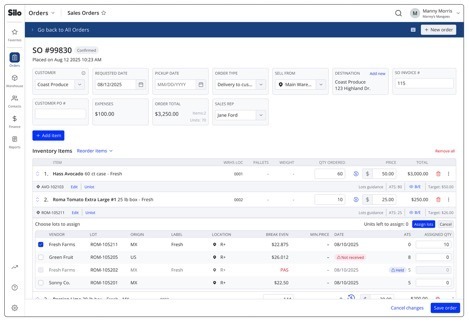
● You can now flag sales orders like you can POs. A flag icon will appear anywhere in Silo that the SO # or invoice # displays, and a warning will appear if a user tries to record payment for a flagged SO.
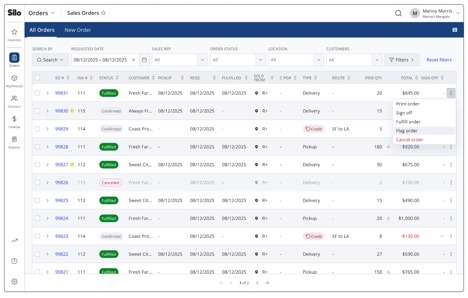
SO UI updates
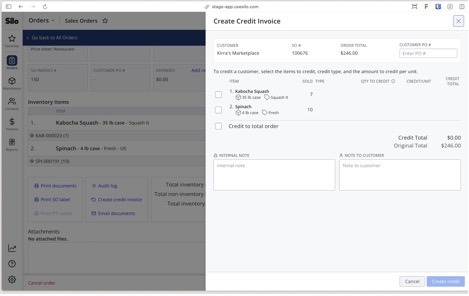
● We’ve made some minor updates to the appearance of SOs, especially the lot assignment drawer and the credit creation panel.
● 
Jul 16 - Jul 29
Silo Inventory Management System
Populate sales orders with AI
● You can now paste order text from your customers into Silo to have AI automatically find the right items in your inventory and pre-populate them on a sales order. Learn more:  How to Add Items to Sales Orders with AI
Silo Accounting
Close and lock your books
● You can now specify a financial period close date in Settings > Accounting. Any transactions on or before the close date will only be editable by users with “Edit Locked Financial Data” permission. Learn more:  Closing and Locking a Financial Period
Jul 2 - Jul 15
Silo Inventory Management System
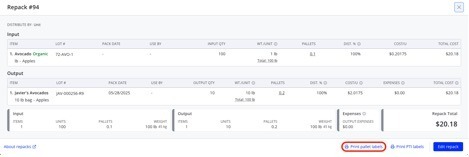
Print Pallet Labels for Repack
● You can now easily print pallet labels for all output lots on a repack from the view repack window.
Jun 18 - Jul 1
Silo Inventory Management System
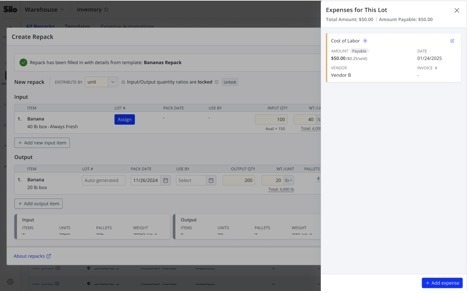
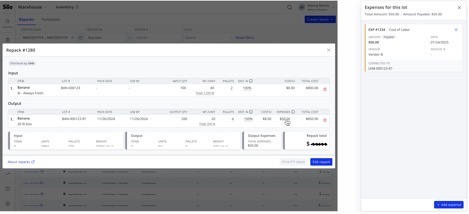
Auto-Generate Repack Output Expenses
● You can now use expense automations to automatically generate expenses on output lots while creating a repack.
May 21 - June 17
Silo Accounting & Payments
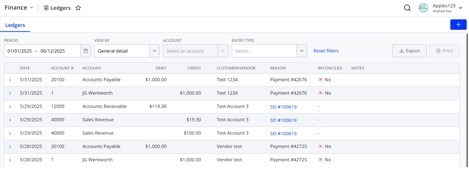
Reconciliation Status in Ledgers
● When viewing a specific account or general detail ledger, you can now see whether each relevant journal entry has been reconciled with a link to the related reconciliation entry.
May 7 - May 20
Silo Inventory Management System
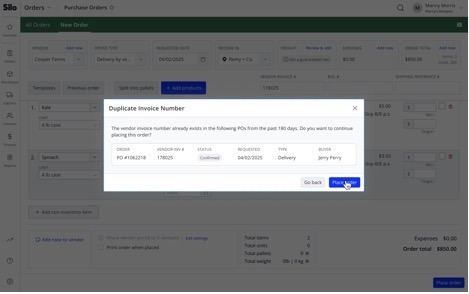
Avoid Duplicate Orders
● You’ll now receive a warning if you attempt to create a PO with the same vendor invoice number as another PO from the same vendor in the last 180 days. This warning can be turned off with a new setting in Settings > Orders > Purchase Orders.
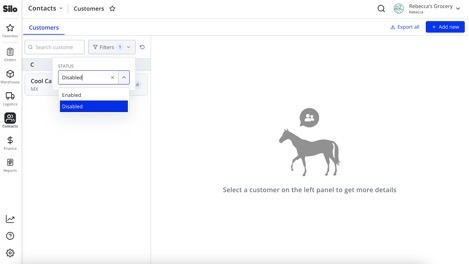
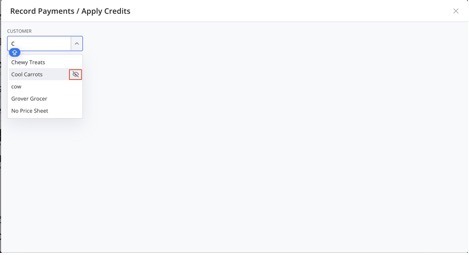
Find Disabled Customers More Easily
● It’s now easier to see which customers are disabled on the Customers screen and in the Record Payment window.
Silo Accounting & Payments
View Balance in Chart of Accounts
● We’ve added a Current Balance column to the Chart of Accounts screen so you can easily review all of your account balances in one place.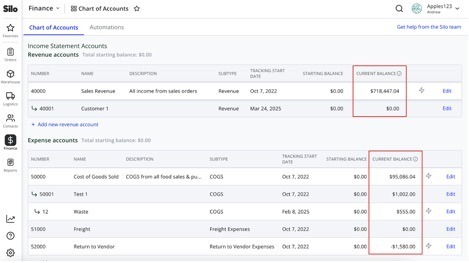
April 23 - May 6
Silo Inventory Management System
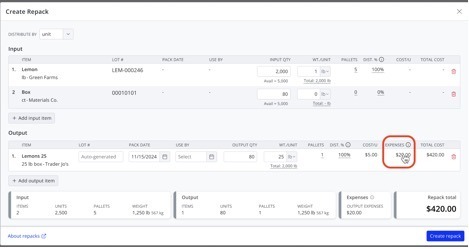
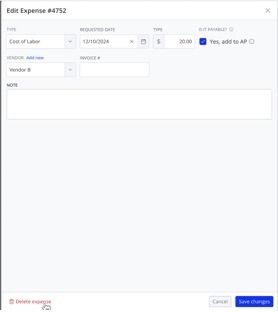
Edit Expenses on Repack Output Lots
● You can now edit expenses on repack output lots during repack creation and when viewing an existing repack.
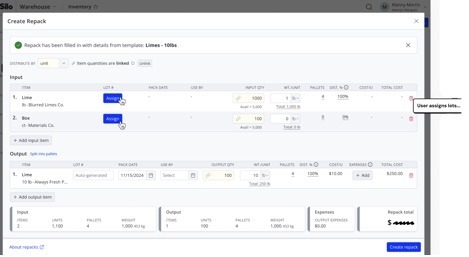
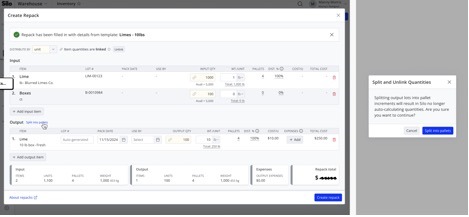
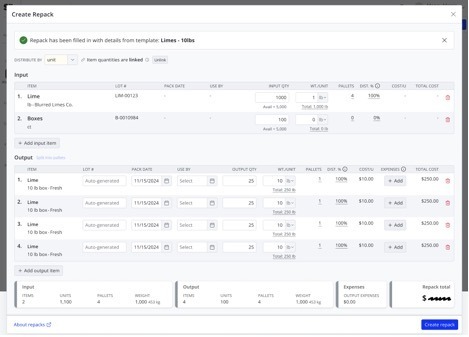
Create Repack Recipes
● You can now create repack templates with linked item quantities, so that editing one quantity on a repack created from the template automatically updates all other input and output quantities.
April 9 - April 22
Silo Inventory Management System
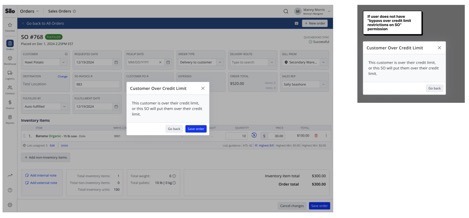
Better Enforcement of Credit Limits and Overdue Balances
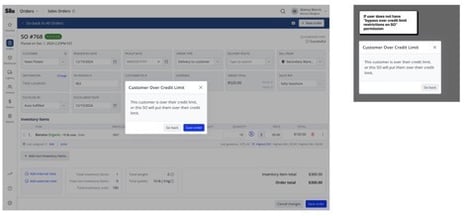
● If you’ve turned on the settings to block sales orders to customers who are overdue or over their credit limit, Silo will now enforce these restrictions when editing existing orders and making changes that will cause a customer to become overdue or go over their limit.
March 26 - April 8
Silo Inventory Management System
Updated Expense UI
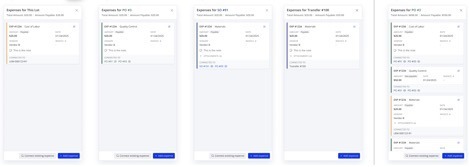
● We’ve updated the expense card UI when viewing expenses connected to a purchase order or sales order to show more information with less wasted space.
Silo Accounting & Payments
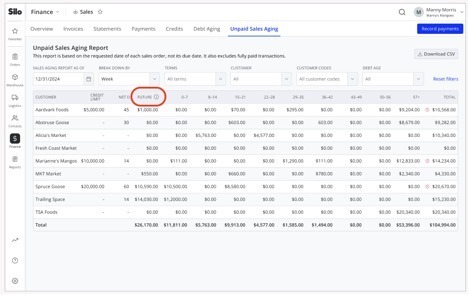
Include Future Invoices in Customer Balance
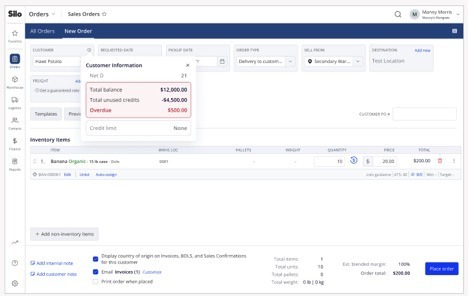
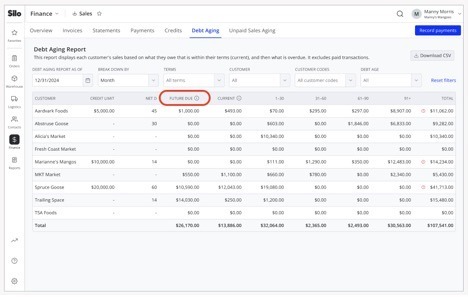
● Future invoices will now be included in the total customer balance shown in Debt Aging and Unpaid Sales Aging and will be taken into account when determining whether the customer is over their credit limit.
Manage Your Vendors’ Bank Information
● You can now enter your vendors’ bank information in the Vendors screen to start sending them ACH payments immediately, rather than waiting for them to enroll.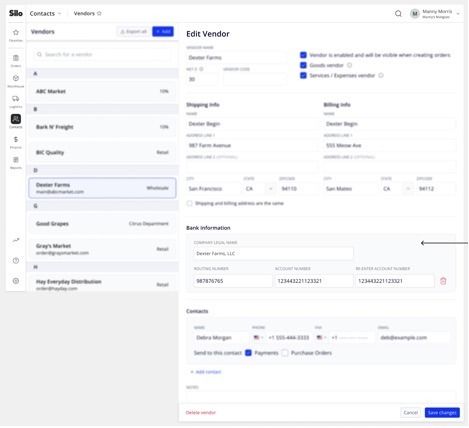
March 12 - March 25
Silo Inventory Management System
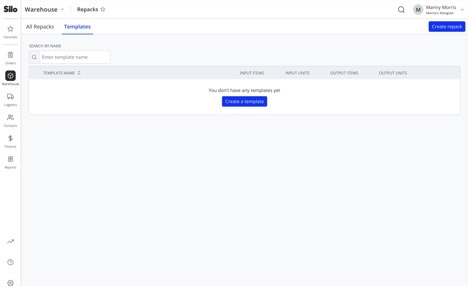
Repack Templated
● You can now use templates to speed up repack creation
February 26 - March 11
Silo Inventory Management System
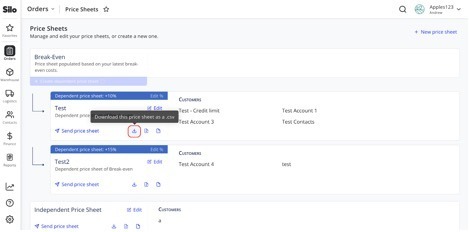
Export Price Sheets
● You can now export your price sheets to .csv files
Silo Accounting & Payments
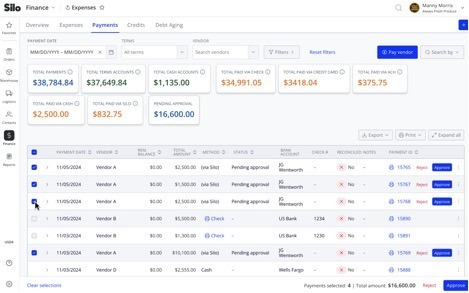
Bulk Approve & Reject Payments
● You can now bulk approve or reject BillPay payments to your vendors and leave a note when rejecting payments.
February 12 - February 25
Silo Inventory Management System
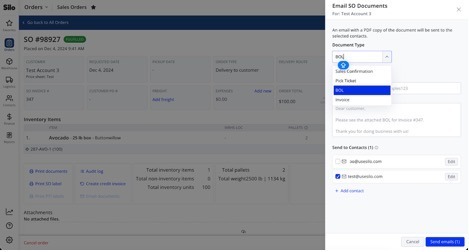
Email BOLs and Pick Tickets
● You can now email BOLs and pick tickets when creating or viewing an SO, as well as configure which customer contacts should receive them by default.
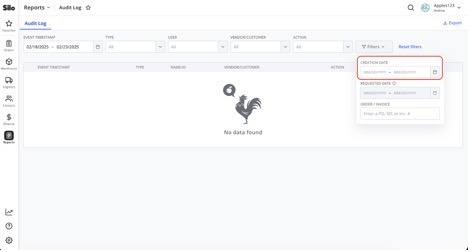
View Creation Dates in the Audit Log
● You can now see and filter on the creation date of POs, SOs, payments, and any other resources shown in the Audit Log.
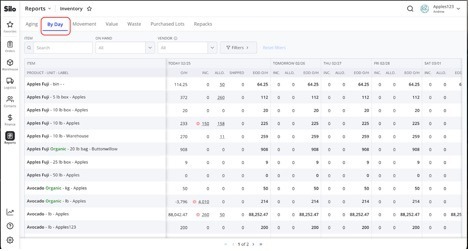
New Inventory by Day Report
● Silo now offers a new report to review projected inventory counts for the next 7 days.
January 29 - February 11
Silo Inventory Management System
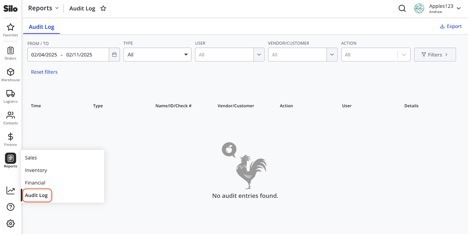
Standalone Audit Log
● The Audit Log has moved from Settings to the Reports section, and there is now a permission to control which users can access it.
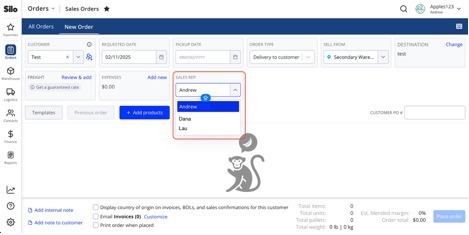
Editable Sales Rep During SO Creation
● You can now edit the sales rep while creating a new sales order.
Silo Accounting & Payments
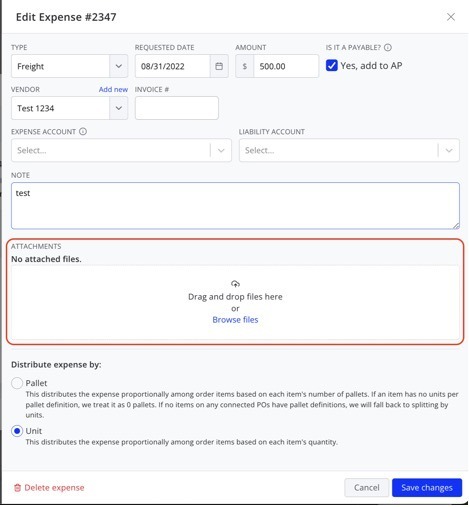
Expense Attachments
● You can now attach files to expenses like you can with SOs and POs.
January 15- January 28
Silo Inventory Management System
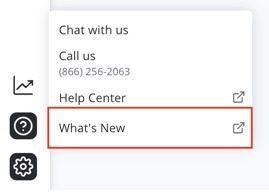
See What’s New
● You can now use the “What’s New” link under the “?” button on the navigation bar to easily see what features Silo has recently released.
Restrict SO Access
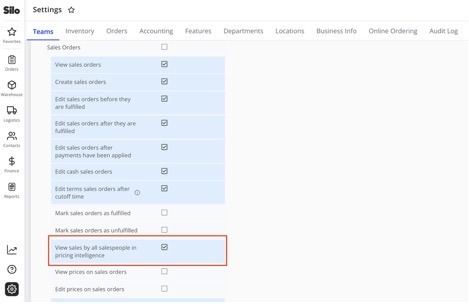
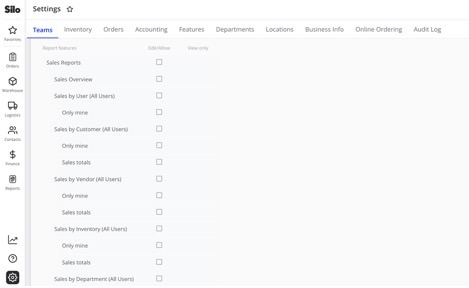
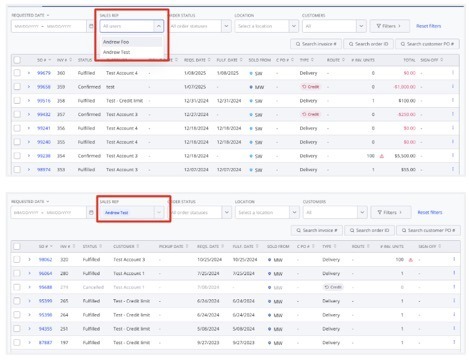
● You can now use permissions to restrict users’ access to only SOs on which they are the sales rep.
Paste Numbers with Commas
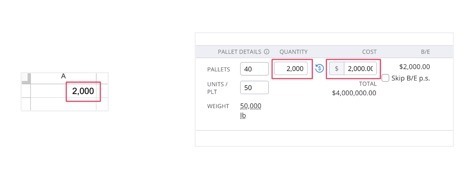
● You can now paste numbers with comma separators in any numeric field in Silo.
Auto-Fill Vendor When Generating POs for Oversold
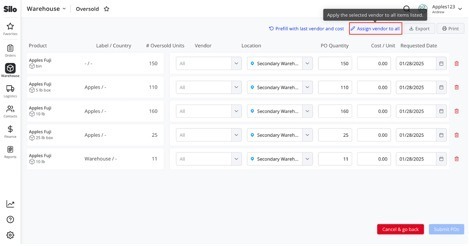
● You can now easily select a vendor for all items when generating POs in the Oversold screen.