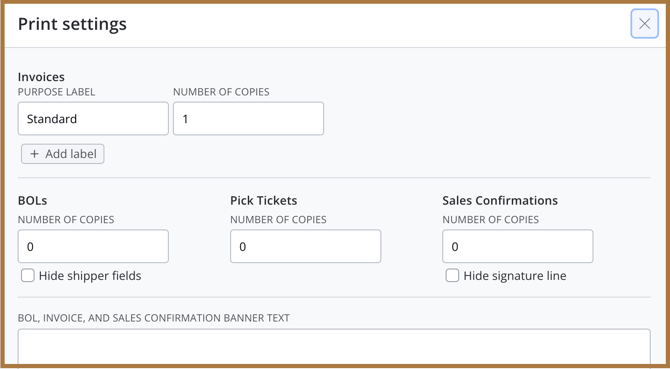
Silo SO print settings include options to print pick tickets and bills of lading (BOLs) alongside invoice, sales confirmation.
The BOL will include customer-facing notes, disclaimers, and signature lines. The pick ticket will only include internal notes.
You can also add custom fields and select which of these you want those fields to print to.
To choose which documents print for SOs by default:
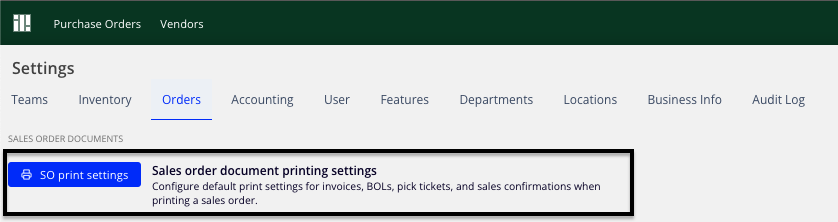
- Navigate to Settings > Orders
- Press SO print settings
- Enter the number of copies of each document type that should print by default
- Add any text you'd like to show as a banner
- Use Add Field to introduce custom fields, and select which documents each custom field should print on
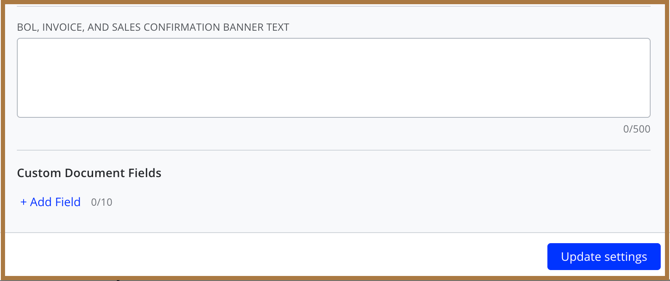
To complete, please press Update settings