See also How to Create a Vendor Credit for a Return
To return a product to shipper on a transferred lot:
- Navigate to the Lot Details page of the transferred lot. This can be accessed several different ways. One option is to navigate to the purchase order that the original lot was created on. Under the Lot Detail click on the lot number. Then, navigate to the Transferred Lots tab and click on the Transferred Lot number. This will open up the Lot Details for the transferred lots. You may also navigate from the menu using Warehouse > Lots and use the search feature to locate the correct lot.
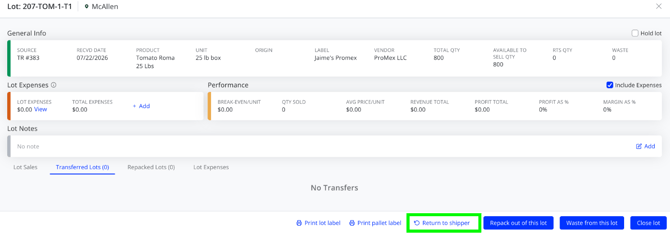
- On the Lot Details page, there is a button labeled Return to Shipper. This will open a new window and you will be able to create a credit as normal using the steps outlined at How to Create a Vendor Credit for a Return