The Settlements report makes it simple for you to reconcile the lump deposits that post into your bank account for collections with the payments you see in Silo. It also allows you to drill down to see the details included in the settlement, making it easy to understand which customers made payments.
This report can be found under Reports > Financial > Settlements.
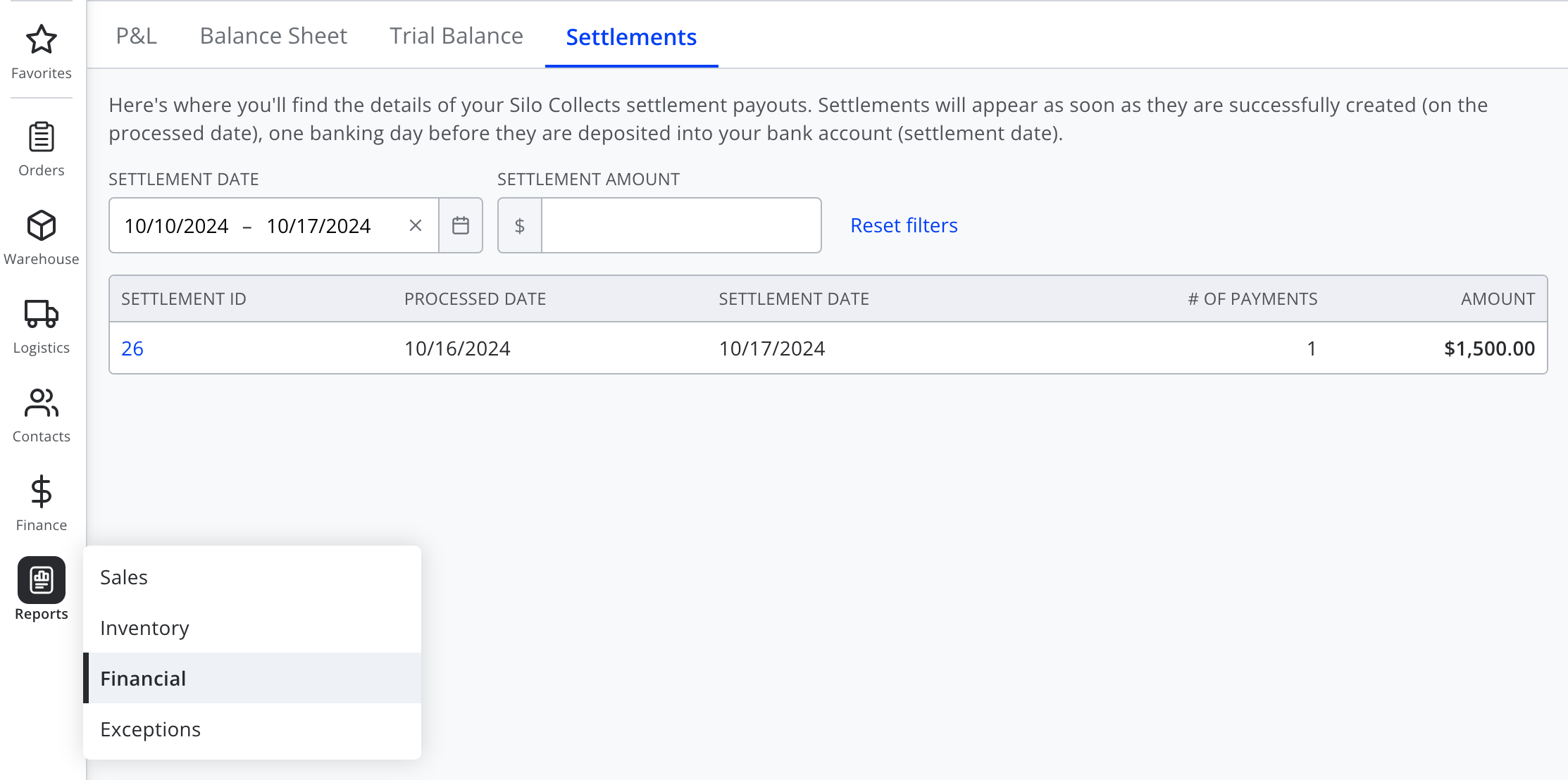
It shows a list of settlements that have been sent to you by Silo. It is filtered to settlements deposited in your account in the past week by default, but you can adjust to filter on any date range or settlement amount. Note that this report only supports viewing settlements back to the beginning of August 2024.
The settlement list provides a high-level overview of each settlement by showing relevant dates, number of payments included, and the total amount of the settlement. To drill in further, press the settlement ID.

In the detail view, you can find all the details of the payments that make up the settlement, see whether these payments have been applied to invoices, and apply the payments if needed. You can also print a pdf version of the report.
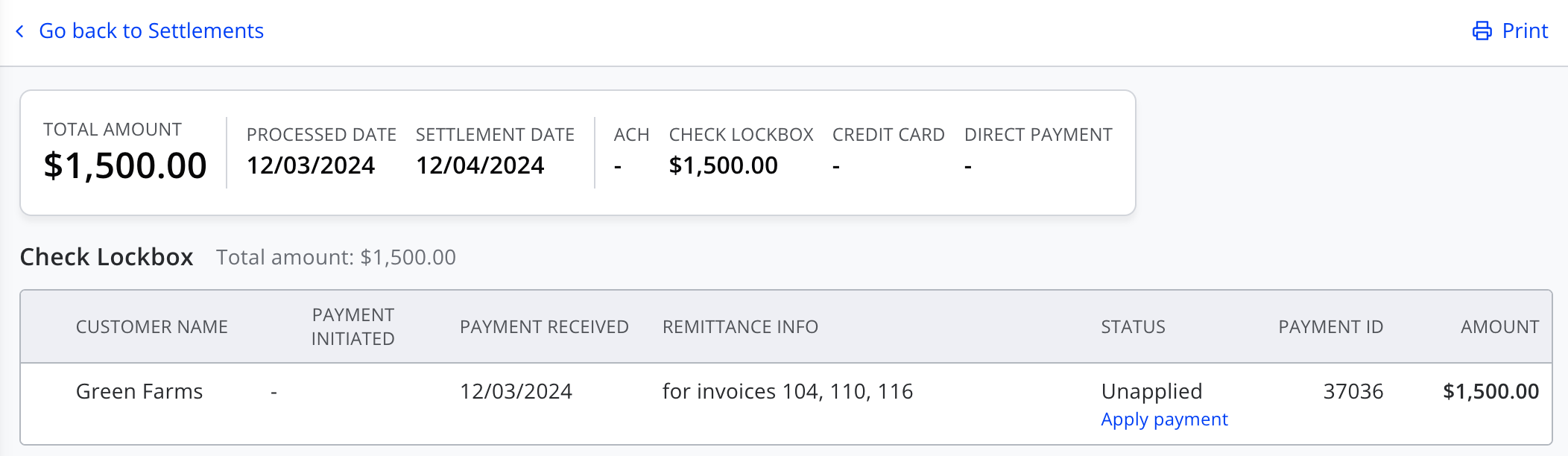
Across the top you will see summary information, including relevant dates and amounts. This includes the total settlement amount, as well as totals broken down by payment method. Below the summary is a list of all the included payments grouped by payment method.
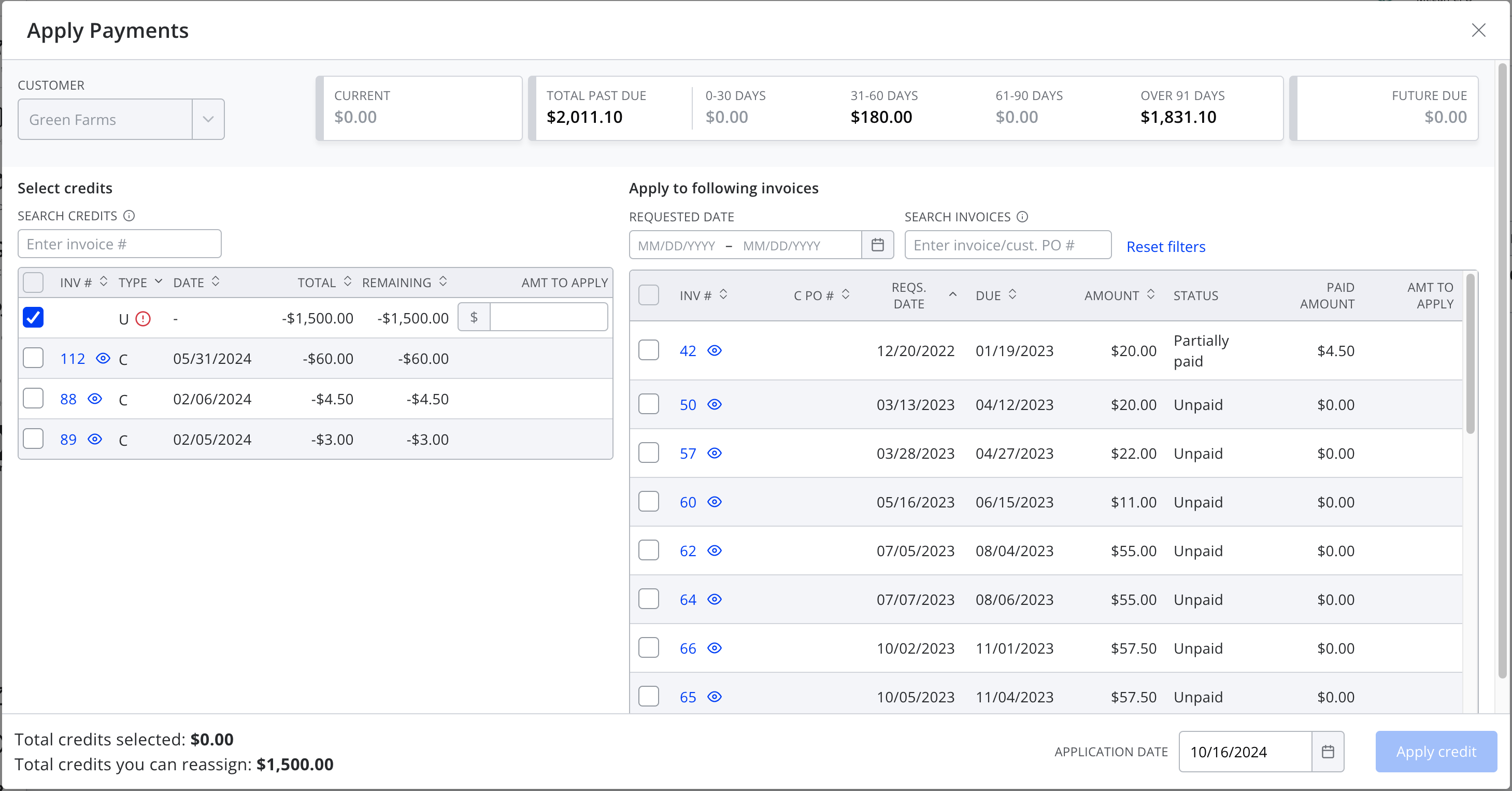
For added clarity around timing and funds flow, each payment show both the date it was initiated by your customer (where applicable) and the date is was received by Silo. Each payment also shows any remittance info that is provided to Silo, which may help with reconciliation and deciding where to apply a payment. The payment status indicates whether it has already been applied, either by the customer who initiated it or by someone on your team. Unapplied payments include a quick link to the same payment application workflow that's available from the AR screens.
To make managing your collections even easier, Silo also sends an email notification with an attached pdf version of the settlement details each time a new settlement is processed. By default this will be sent to the account owner, but you can configure which users should receive the email in Settings > Accounting.

If you have any questions regarding the functionality or any specific settlements, please reach out to support@usesilo.com and our team will be happy to assist.