Lot Counts
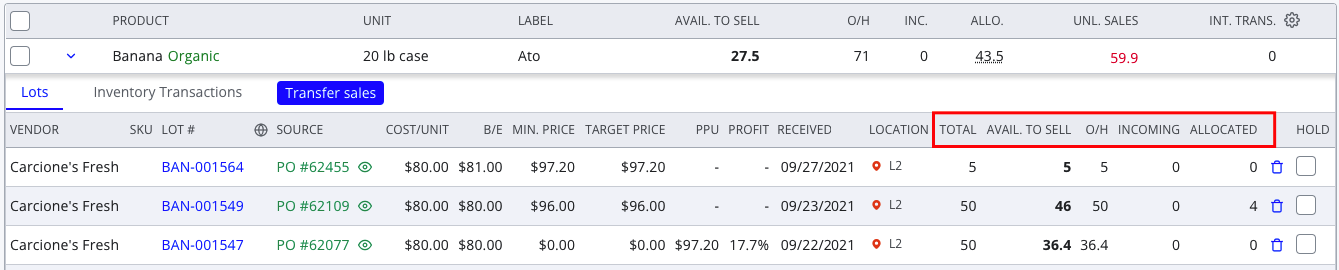
Every lot has several quantities that are tracked in Silo.
Total
The original quantity of the lot. For purchased lots, this is the quantity purchased. For transferred lots, it is the quantity transferred. For repacked lots, it is the quantity entered in the 'Output Qty' field.
On Hand (O/H)
This is the quantity of the lot that is physically present in the user’s warehouse. It should include the quantity that has been received, minus any returns, fulfilled sales, completed transfers, repacks, and waste.
Incoming
This is the quantity that is not yet received. This can include quantity from an unreceived PO, a pending transfer, or a restock credit that is not yet marked as fulfilled.
Allocated
This is the quantity that is committed but has not yet left the warehouse. This includes quantity assigned to sales that are not yet marked as fulfilled or transfers that are not yet marked as received.
Available to Sell
This is the quantity that is still available to be used. It is the total quantity of the lot minus any units returned, sold, repacked, transferred, or wasted. If the lot is held, this value drops to 0.
Inventory Counts
There are also several quantities tracked at the inventory item level.

On Hand (O/H)
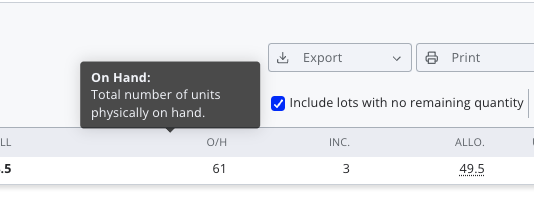
This is the quantity that is physically present in the user’s warehouse. It should include the sum of all lot on-hand quantities minus any unlotted units on fulfilled sales orders.
- On Hand = Allocated + Available to Sell
- Sales only deduct from the On Hand value when a sales order is marked as fulfilled
- Since unlotted sales are included in the item-level O/H value, it will not always match the sum of all the lot-level values.
Incoming
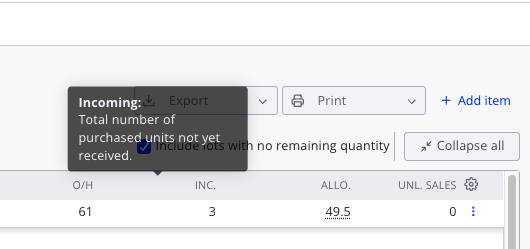
This is the sum of all lot incoming quantities.
Allocated
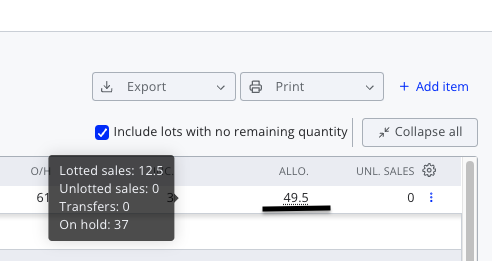
This is the sum of the lot allocated quantities, plus any quantity that is on hold and any unlotted quantity on unfulfilled sales orders.
- Since unlotted sales are included in the item-level Allocated value, it will not always match the sum of all the lot-level values.
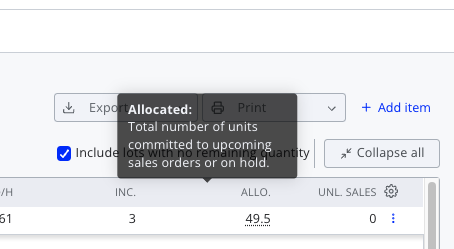
You can click on an allocated quantity to see the breakdown of lotted sales, unlotted sales, transfers, and held units counted separately.
Available to Sell (ATS)
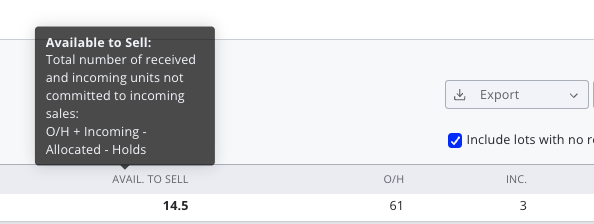
This is the sum of the item-level on-hand and incoming quantities minus the allocated quantity.
- Available to Sell = O/H + Incoming - Allocated
- ATS quantity less than 5 triggers the “Low” inventory alert.
- ATS quantity appears for salespeople in the sales order inventory item search and order item lot drawer.
- When viewing by location, ATS will exclude products presently in-transfer out of that location & include products in-transfer into that location.
Unlotted Sales
All units on sales orders that are not assigned to a specific lot.
Internal Transfers
All units associated with unreceived transfers. This quantity only appears in the Inventory screen if the Multiple Locations feature is enabled (please contact Support to enable).
Viewing Inventory Counts
By default, the following quantities are displayed on the Inventory screen:
- Available Units tab: all of the quantities listed above
- Pricing tab: Total, Available to Sell, On Hand, and Incoming
- Physical O/H tab: On Hand, Available to Sell, and Unlotted Sales
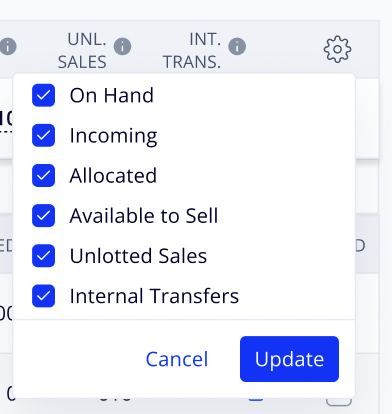
Users can customize which quantities appear (for both items and lots) on the Available Units and Pricing screens by pressing the gear icon in the top right corner of the inventory table.