If you or your customers or vendors are having trouble receiving emails from Silo, there is a chance that Silo's domain is currently blocked by your email provider. If this happens, follow the steps below to begin receiving communications again.
For Outlook users:
- Log on to security.microsoft.com
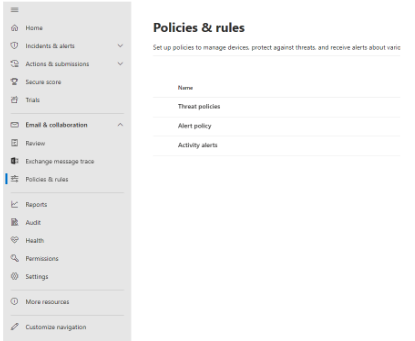
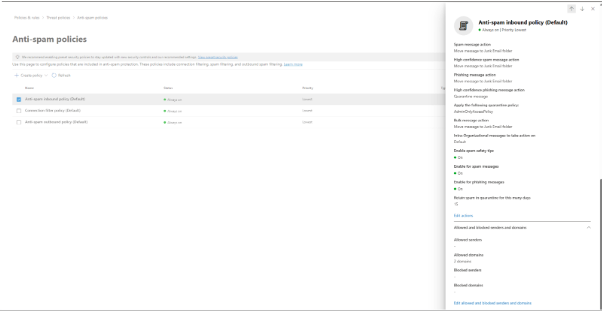
- Go to Policies and Rules
- Click on Threat Policies
- Click on Anti-Spam Policy
- Click on Anti-Spam Inbound Policy
- Scroll down to “Edit allowed and blocked senders and domains”
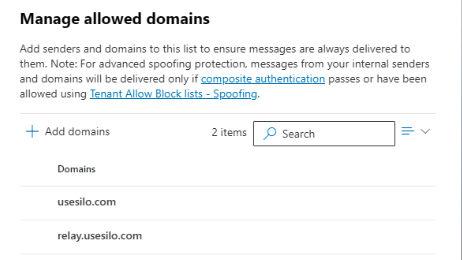
- Click on Allow Domains
- Add the following domains: usesilo.com and relay.usesilo.com
- Click Done
- Click Save
- Wait 10-15 minutes for your changes to take effect
For Gmail users:
- Open Gmail and click the gear icon in the top right
- Select "See all settings" from the Quick Settings menu
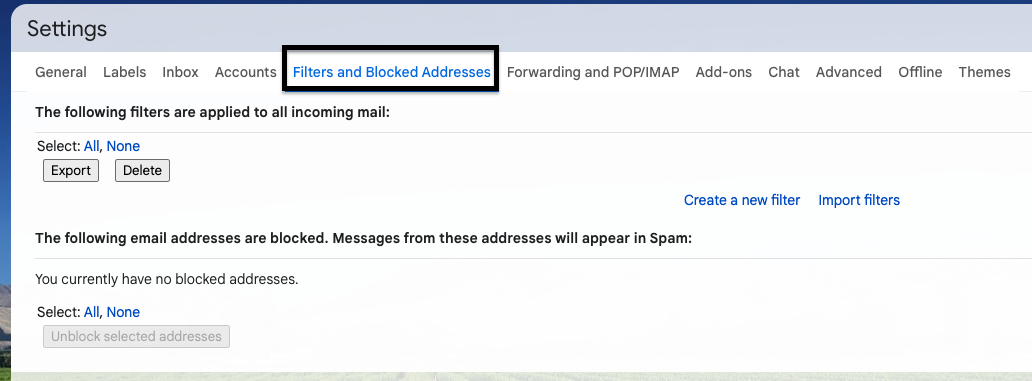
- Navigate to the "Filters and Blocked Addresses" tab
- Click the "Create a new filter" link
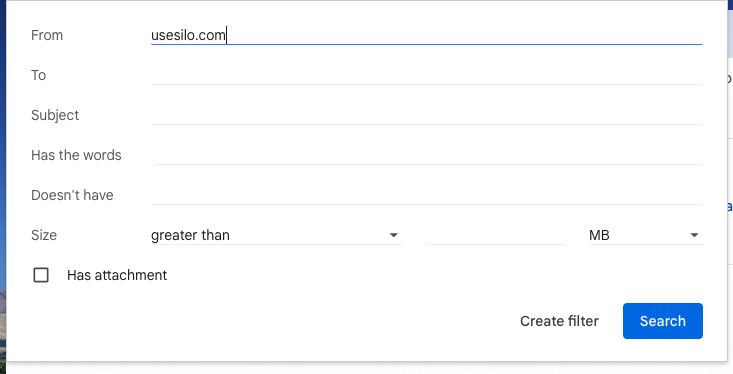
- Add a specific email or domain to the "From" field: usesilo.com and relay.usesilo.com
- Click "Create filter" to advance to the next screen
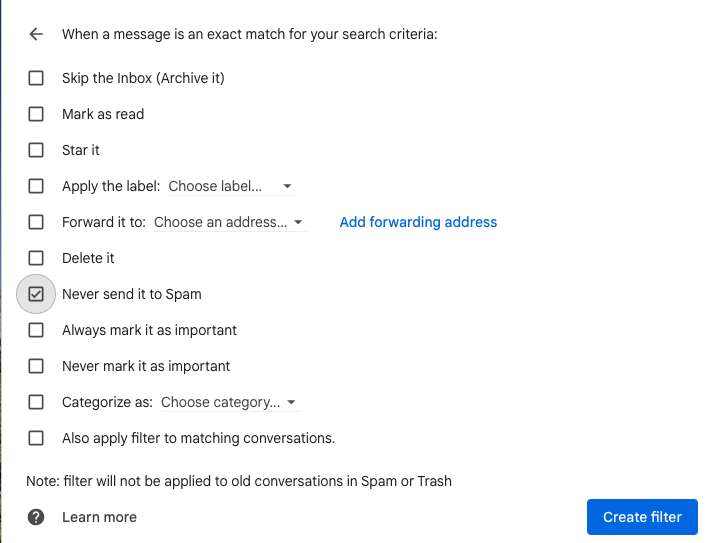
- Select the "Never send it to Spam" checkbox and click "Create filter" to finish