Viewing Statements
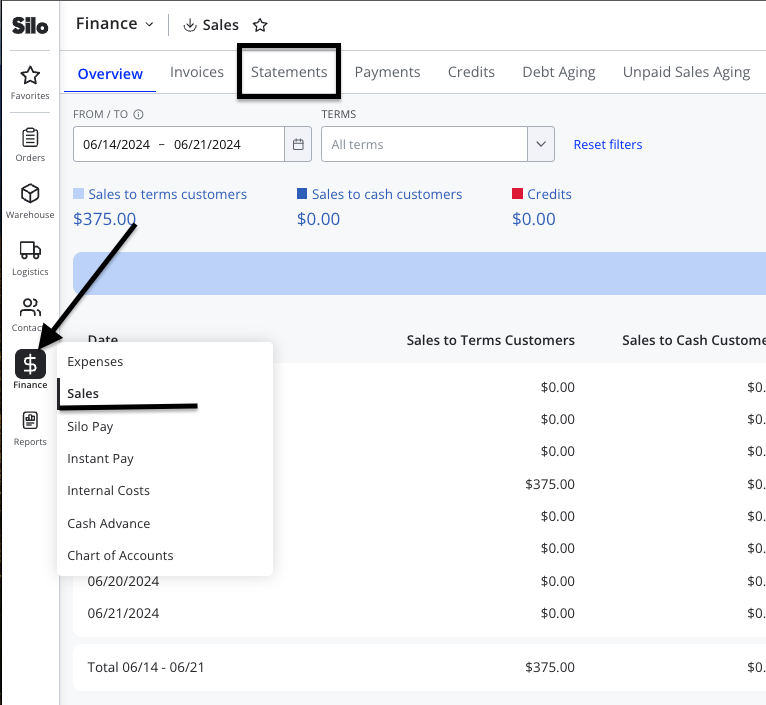
To view statements in Silo:
- Navigate to Finance > Sales > Statements
- Confirm that all filters and settings are configured appropriately for your company's needs (e.g., date range, aging type, detailed or simple view)
- Press the eye icon on the right side of a customer row to preview their statement
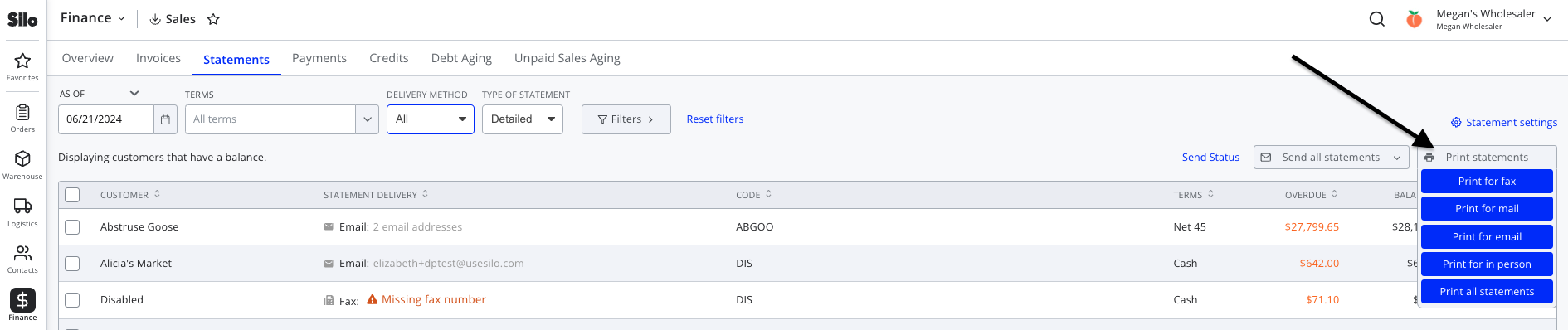
Sending Statements
Once you’ve configured your statements, you can send them by email or fax or print them to be mailed or given directly to your customers.
To print statements:
- Set the Delivery Method filter to Mail or In Person
- Press Print all statements

To email statements:
- Press the Send all statements dropdown menu
- Select Send all email statements
- Press Send statements

To fax statements:
- Press the Send all statements dropdown menu
- Select Send all fax statements
- Press Send statements