Introduction
Configuring a repack expense automation for an inventory item allows expenses to generate automatically when you create that item via repacking. This saves time if you often find yourself creating similar expenses for each repack you perform.
How does it work?
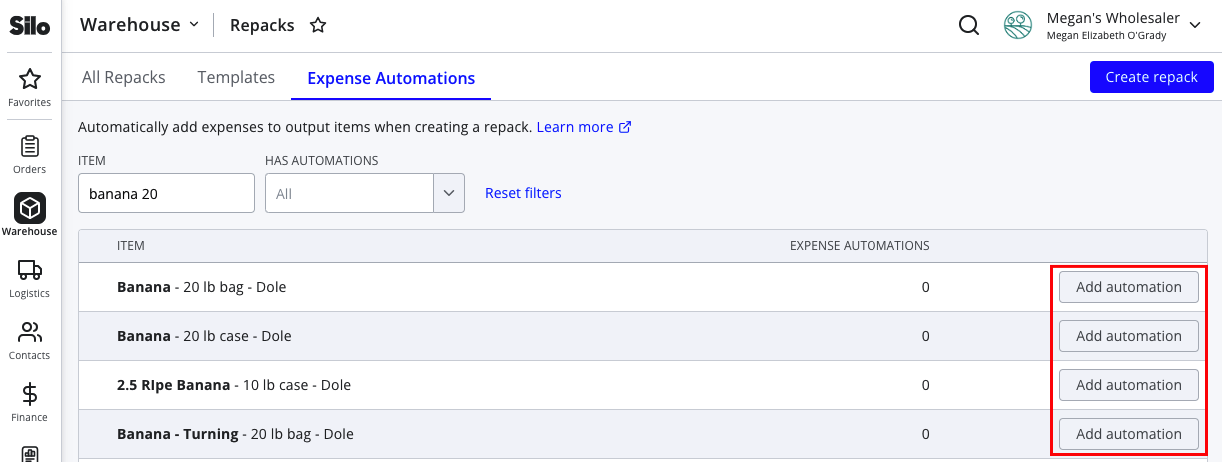
To get started, navigate to Warehouse > Repacks > Expense Automations. Locate the inventory item that you wish to auto-generate an expense for when it's created in a repack. Once you've found it, press Add automation on the right side of the item row.
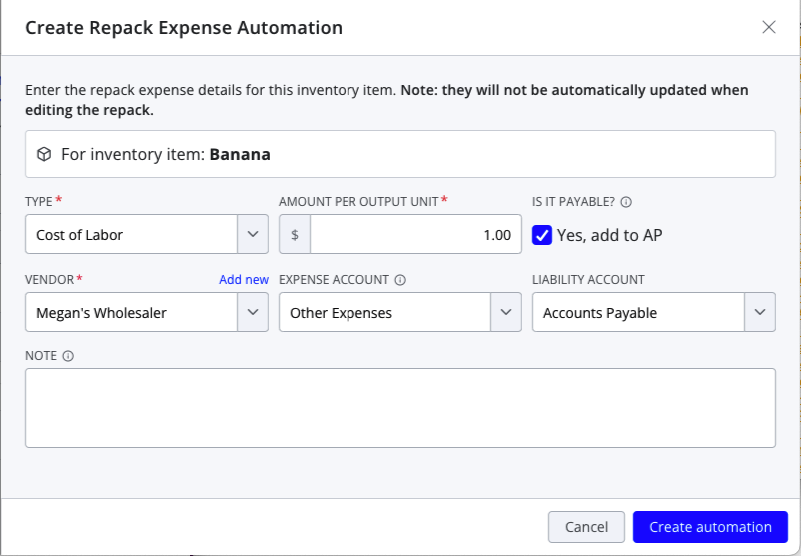
A panel will open for you to configure the expense, including the type, dollar amount per unit, and whether it is payable. Note that the actual expense amount will depend on how many output units of the item are created in the repack—Silo does not currently support auto-generating flat rate expenses.
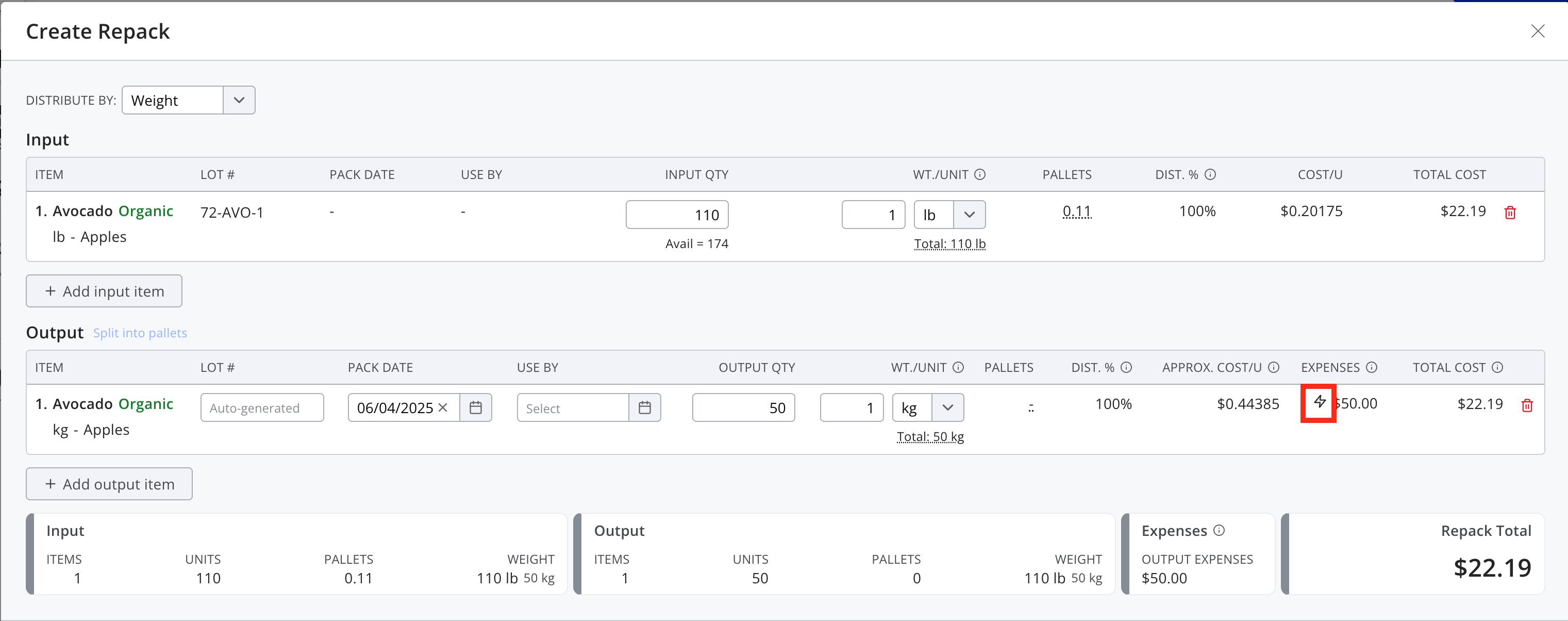
Once the automation is created, Silo will auto-generate the expense each time the output item is created via a repack. If an output item has an auto-generated expense, you will see a lightning bolt icon next to the expense amount.
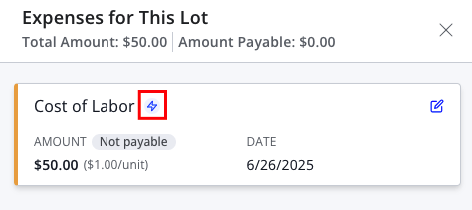
The lightning bolt icon will also identify these expenses in the expense panel.
After you finish creating the repack, the auto-generated lot expenses will function just like any other expense—automatic updating only occurs during initial repack creation.
FAQs
1. Will new expenses by auto-generated when I edit an existing repack?
No, Silo only auto-generates expenses when a repack is first created.
2. Can I edit expense automations?
You cannot edit existing expense automations. If you need to make a change, you can delete the existing automation and create a new one.
3. Can I edit auto-generated expenses when creating a repack?
You can make any edits you'd like to an auto-generated expense (including deleting it), but note that after you edit it the expense amount will no longer automatically update based on changes to the item's output quantity.