Why undo a payment?
If you applied a payment to the wrong expense or if you need to edit the bank account a payment was recorded in, you'll need to first delete the payment to correct the mistake. Keep in mind you may not delete payments made via Silo - you'll need to reach out to support for help with these.
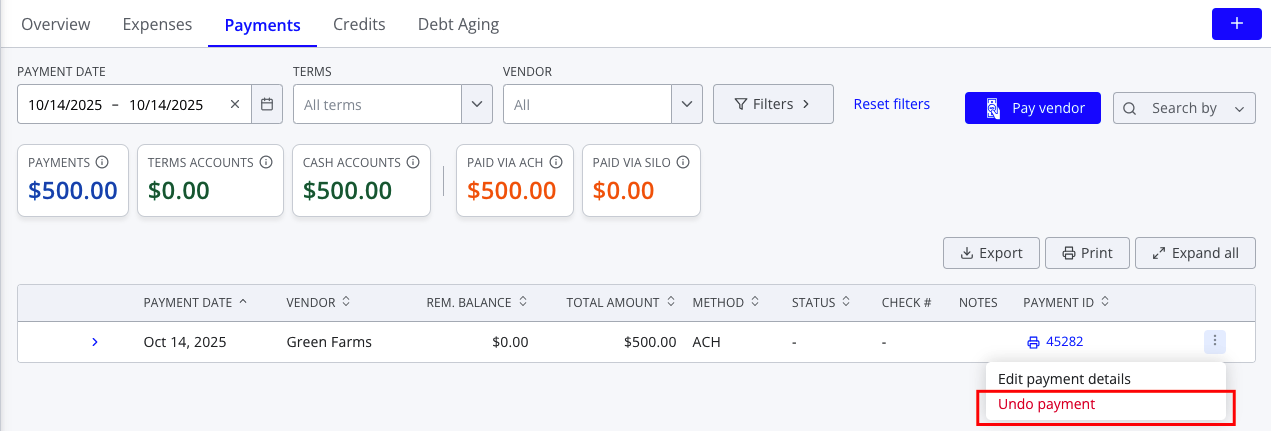
To undo a vendor payment:
- Navigate to Finance > Expenses > Payments
- Adjust the filters as needed to find the payment you wish to delete
- Press the three vertical dots on the right side of the payment row
- Select Undo payment from the dropdown menu
- Press Undo Payment on the confirm window to confirm—the payment should now be removed from the list