Why undo a payment?
If you applied a payment to the wrong sales order, or if you need to edit a sales order total to a lower amount than the payments already applied, you'll first need to undo the payment to correct the mistake.
To undo a customer payment:
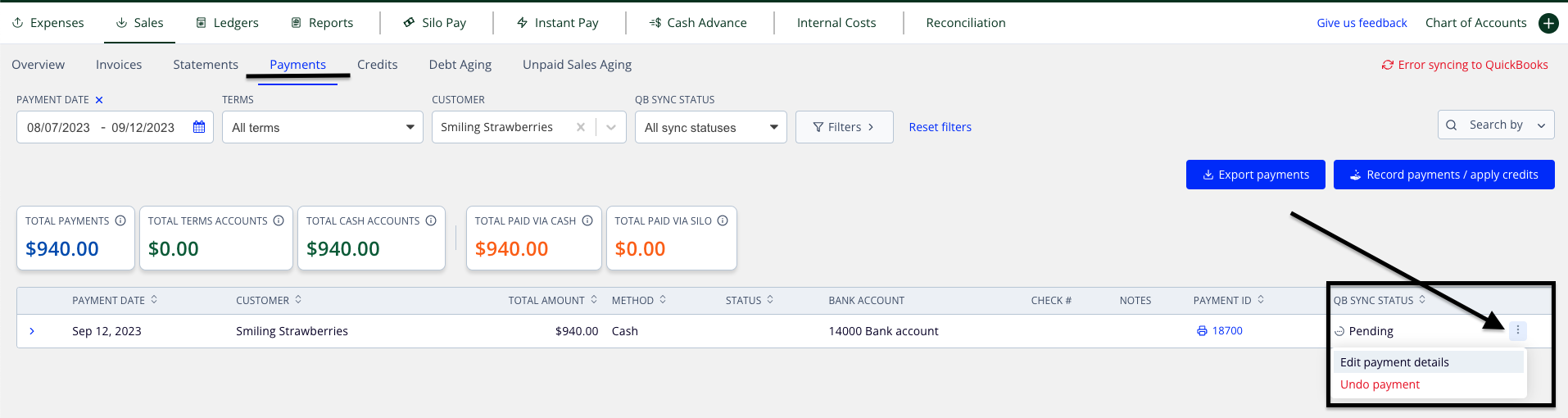
- Navigate to Finance > Sales > Payments
- Adjust the filters as needed to find the desired payment
- Press the three vertical dots on the right side of the payment row and select Undo payment
- Press Undo payment on the confirmation window to finish undoing—the payment should now be removed from the list