Why unapply a credit from a purchase order?
If you mistakenly applied a return credit to the wrong PO, created it in error and need to delete it, or need to change a PO's total to less than the credit amount already applied, you'll need to unapply the credit first.
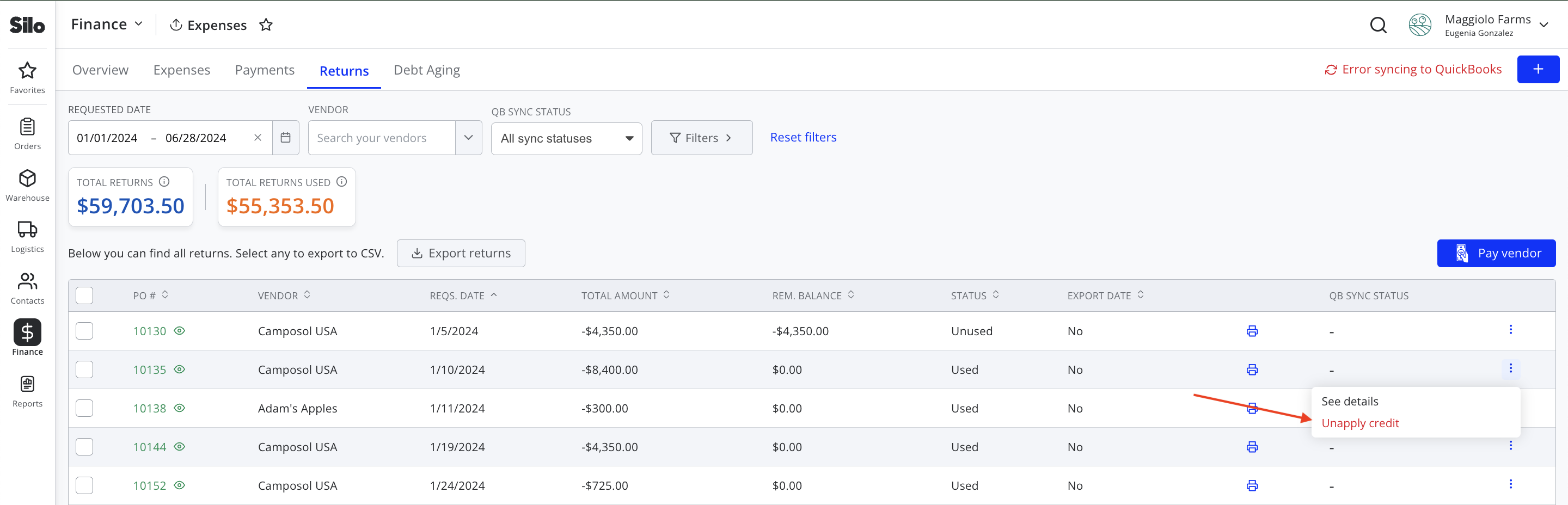
To unapply a credit from a purchase order:
- Navigate to Finance > Expenses > Credits
- Locate the return credit you want to unapply
- Click the three vertical dots on the right side of the row
- Select Unapply credit from the dropdown menu
- Press Unapply credit on the confirmation window to confirm