Why unapply a credit?
If you accidentally applied a credit to a sales order, you created a credit in error and need to delete it, or you need to lower the sales order total below the applied credit amount, you'll need to first unapply the credit.
To unapply a credit:
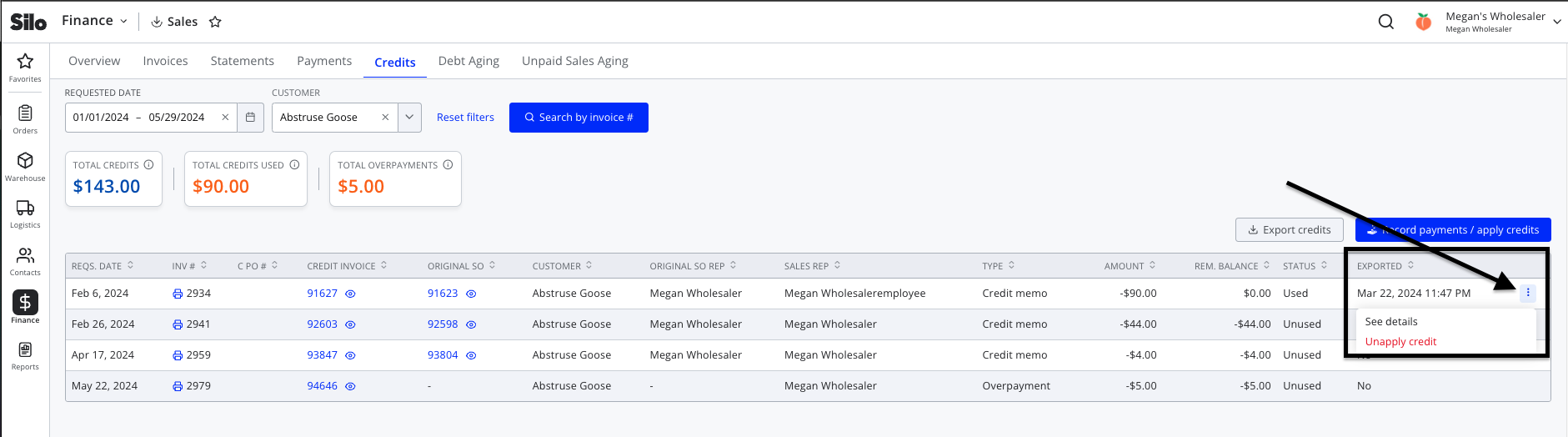
- Navigate to Finance > Sales > Credits
- Adjust the filters or search to locate the credit you wish to unapply
- Press the three vertical dots on the right side of the credit row and select Unapply credit
- Press Unapply credit in the confirmation window to complete the process