Transferring sales is a way to reconcile inventory that is oversold in Silo. For example, let’s say you accidentally oversold Item A but have inventory available for Item B. You can transfer the sale of Item A (the oversold item) to Item B (the item with the available quantity) to correct this mistake.
This guide will walk you through transferring sales to a different lot. There are several places within Silo where you can transfer sales, including from the Oversold screen and from within the Lot Details window. Let’s start with Oversold.
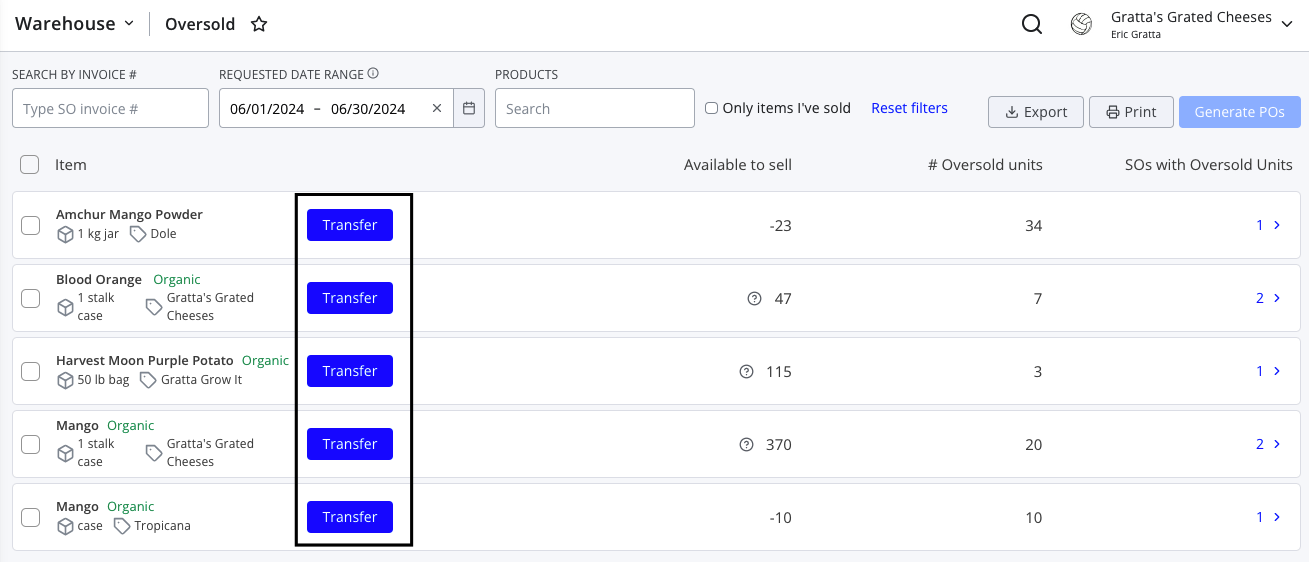
To transfer from the Oversold screen:
- Navigate to Warehouse > Oversold
- Adjust the filters as needed to locate the oversold product you wish to transfer
- Press the Transfer button to the right of the item information
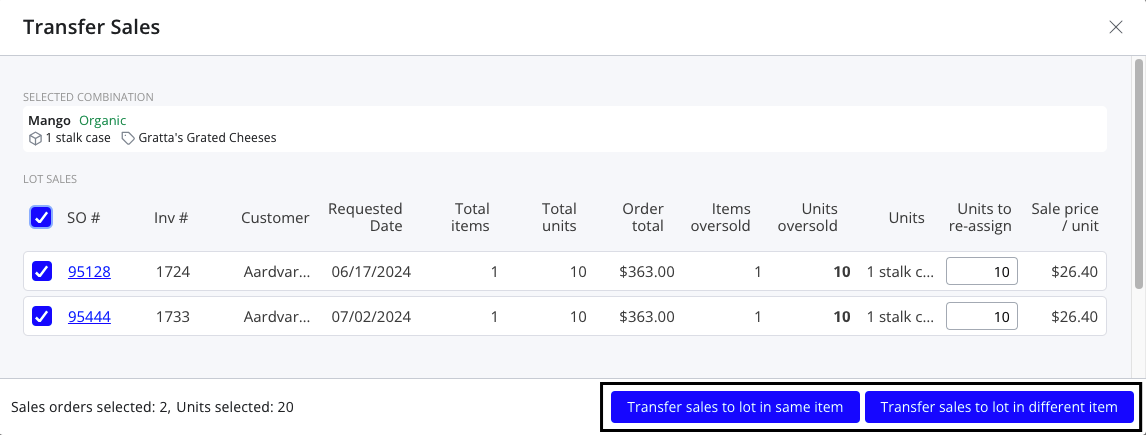
- Select the SOs with oversold units you'd like to transfer and press either Transfer sales to lot in same item or Transfer sales to lot in different item
- If needed, select an item to transfer to
- Select the lot you'd like to transfer to
- Press Confirm to complete the transfer
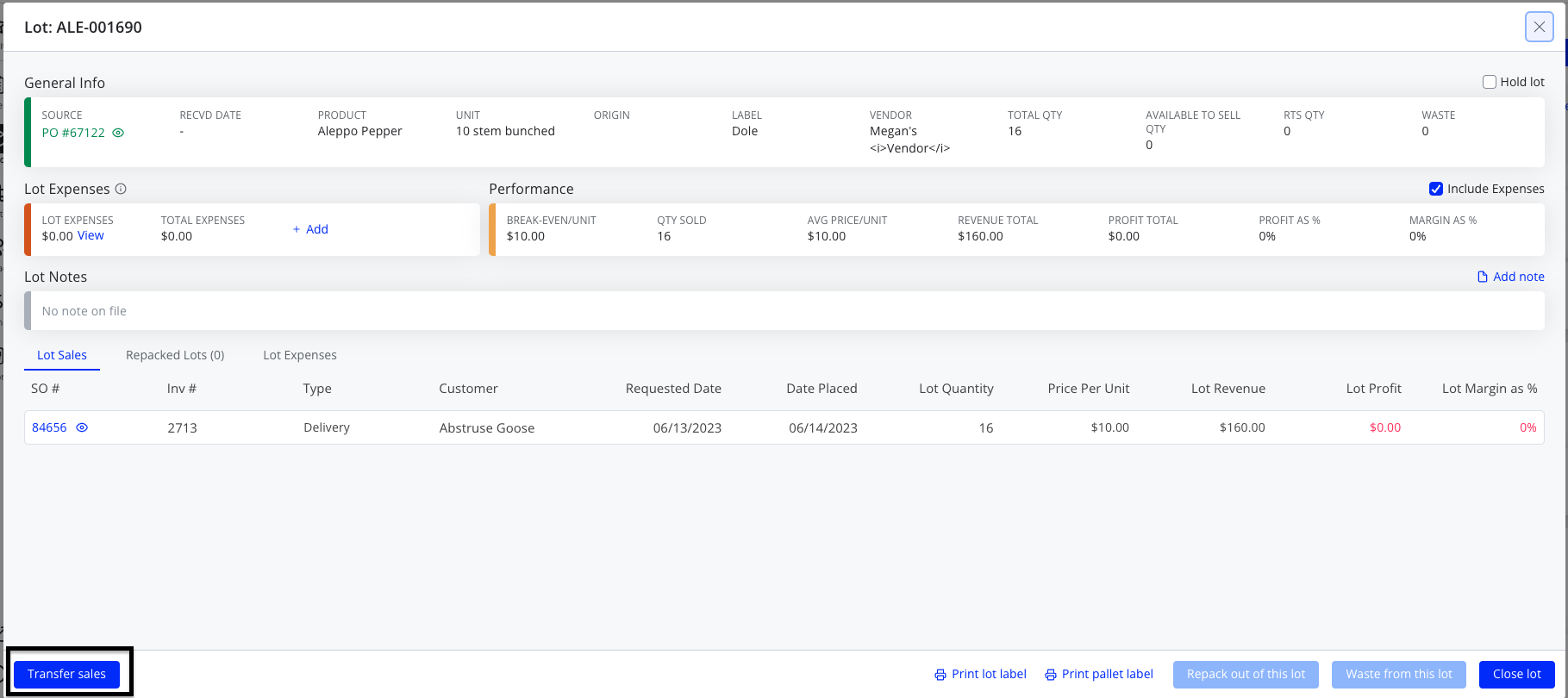
To transfer from the Lot Details window:
Note that this option will only appear if at least one sale is currently assigned to the lot.
- Navigate to Warehouse > Lots and click the orange diamond icon to open Lot Details for a lot (or access it from any other relevant screen in the platform)
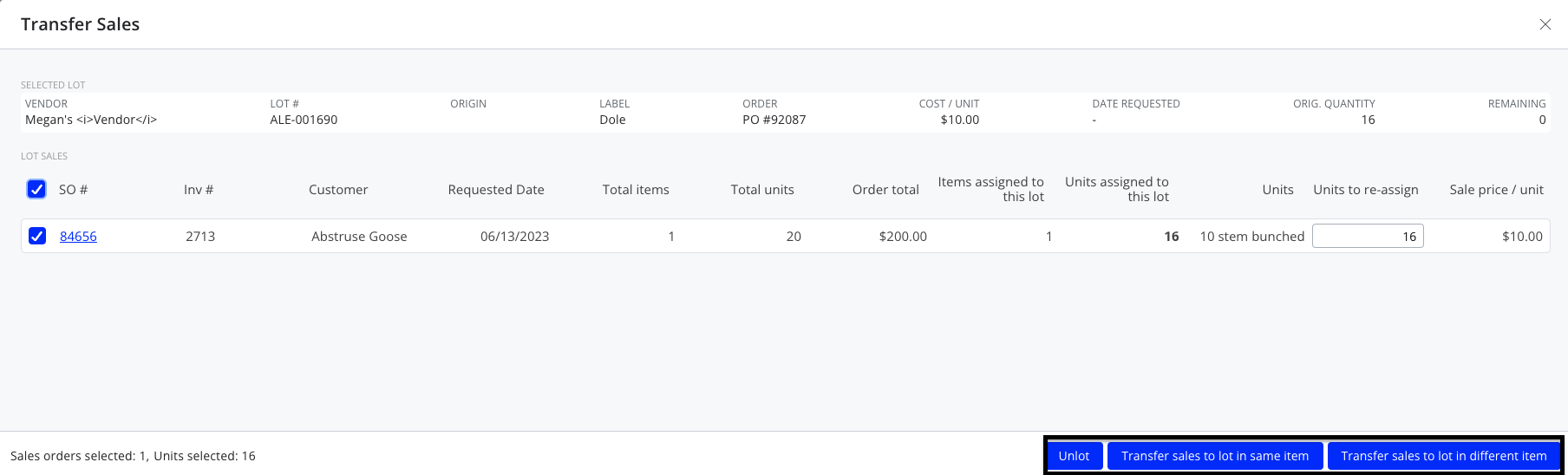
- Press Transfer sales
- Use the same steps as above to select the lot you wish to transfer to
- Press Confirm to complete the transfer