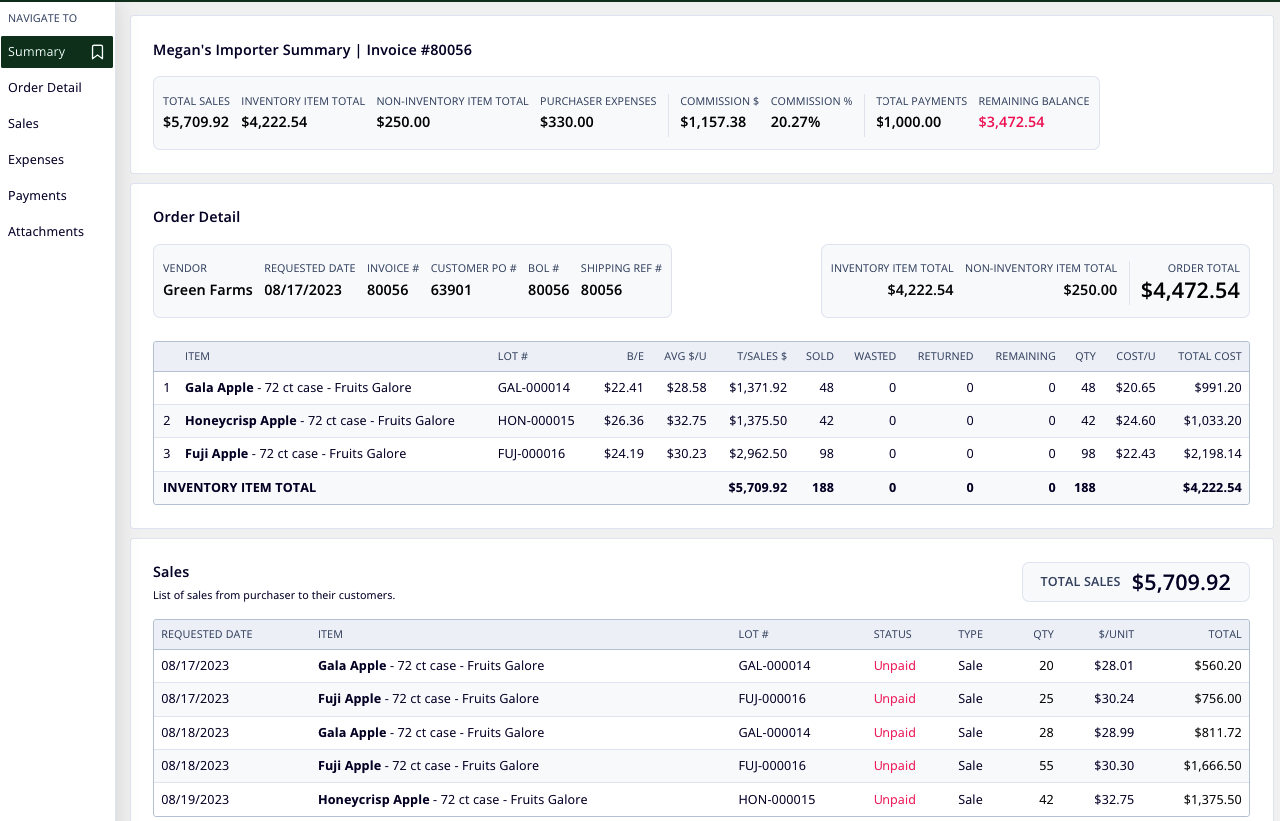
What Is Vendor Portal?
Vendor Portal allows you to provide your vendors with a read-only portal displaying PO details (including attachments), related expenses, and lot performance, updated in real time based on the documentation you complete in Silo.
Sharing a New PO
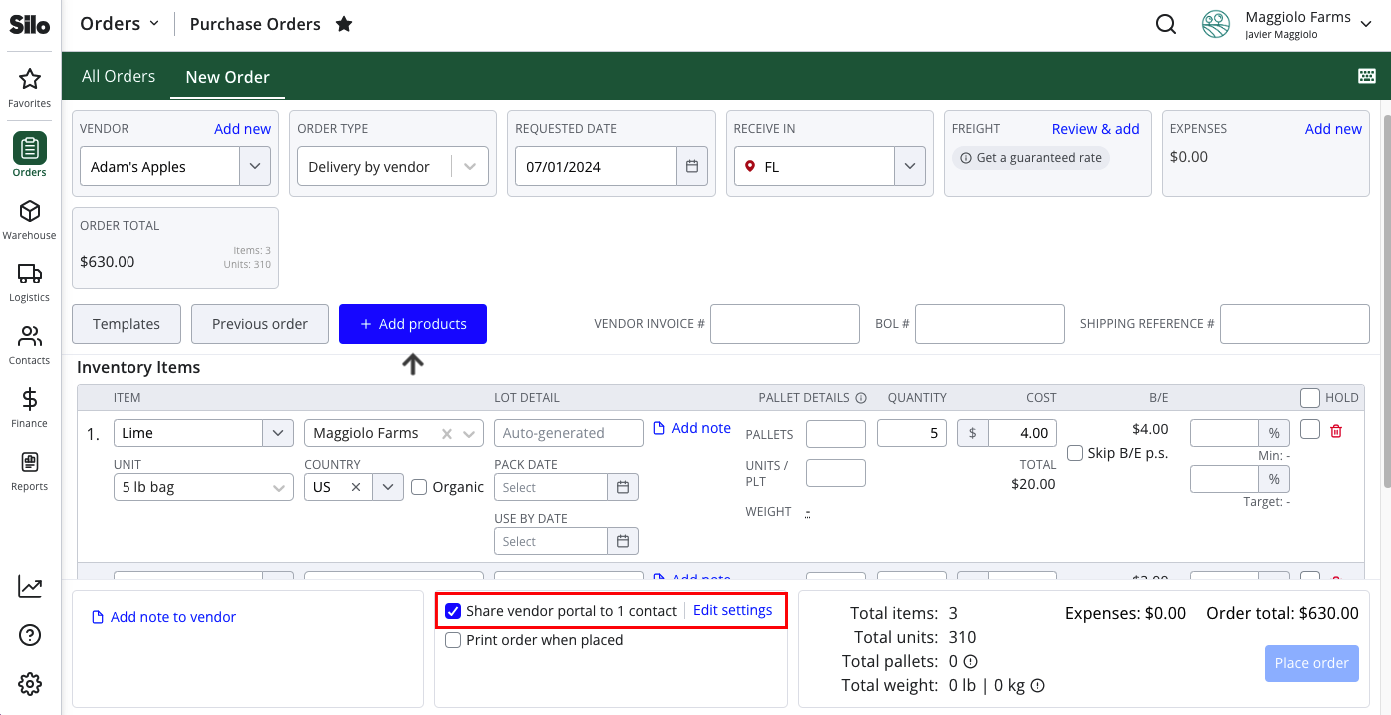
- Navigate to Orders > Purchase Orders > New Order
- Select a vendor
- Select the Share vendor portal to contacts checkbox
- Press the Edit settings link to adjust sharing settings as needed
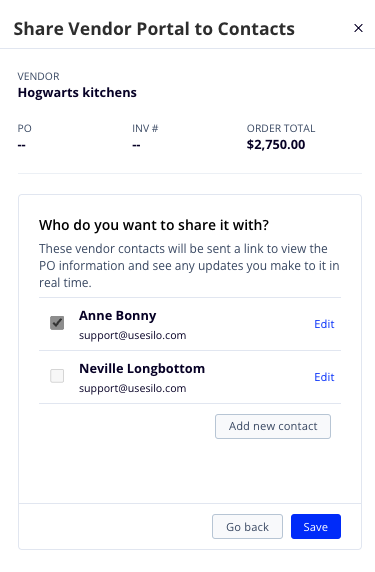
- Finish placing the order as usual—any vendor contacts you chose to share with will automatically receive an email with information about the PO and a link to access Vendor Portal.
Note that the vendor contact you share with must have a US cell phone number recorded in Silo to be able to authenticate and log into Vendor Portal.
Customizing Share Level
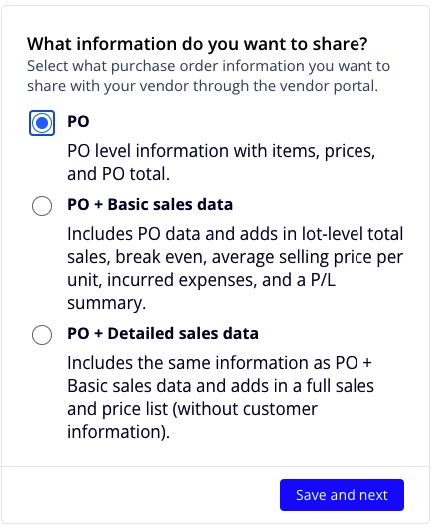
When sharing Vendor Portal for a PO, you can choose what level of detail to share with your vendor.
PO Only
Only includes information about the PO, including the items purchased and their costs, PO attachments, and any payments applied to the PO.
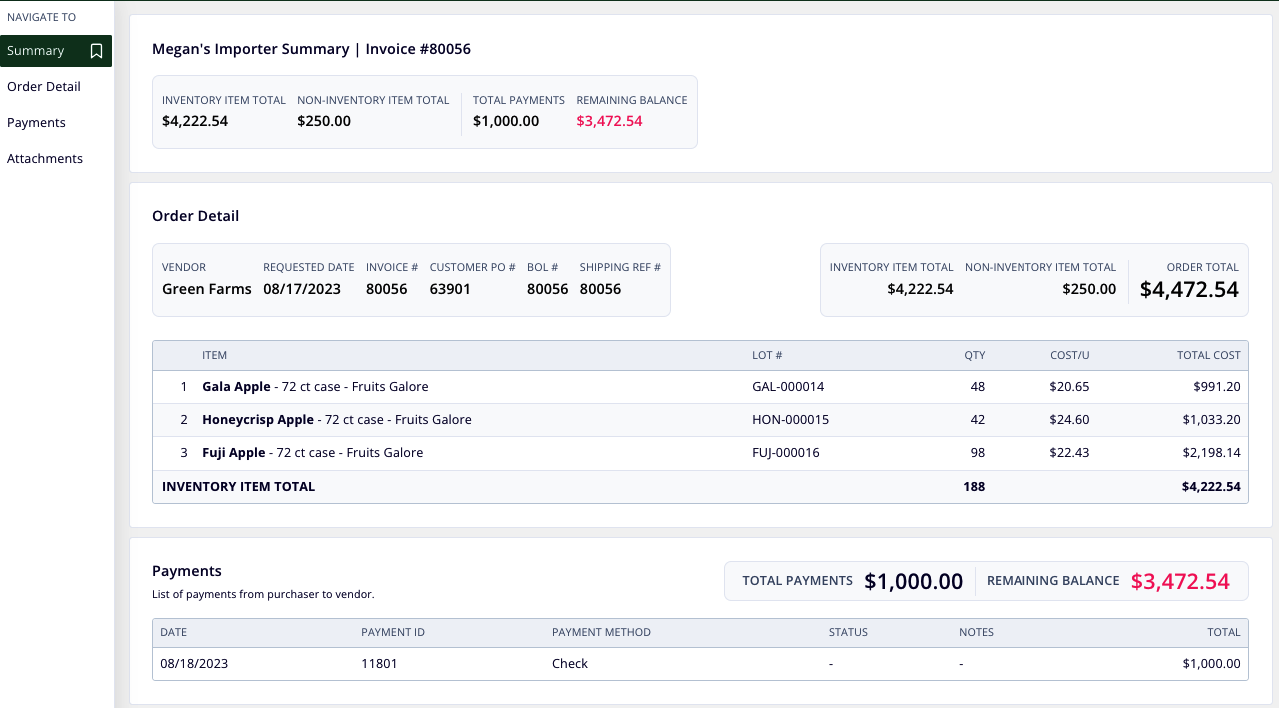
PO + Basic sales data
Includes all the same information as PO only, plus the details of any expenses associated with the PO, summary sales numbers, and lot break-even prices.
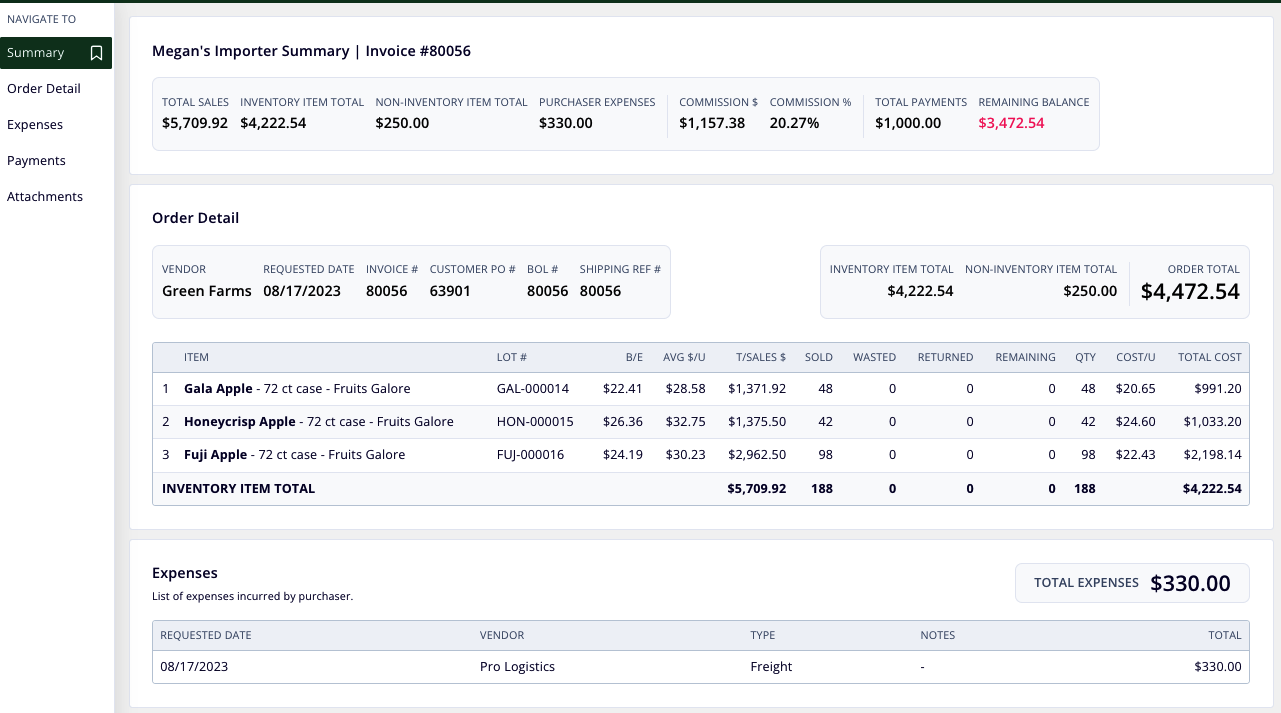
PO + Detailed sales data
Includes all the same information as PO + Basic sales data, plus a detailed list of every sale made out of the lots on the PO.