As a compliance and fraud control tool, Silo offers payment approval functionality to our BillPay users. This allows your company to add a safety step to your payment process to protect against accidental payments or intentional fraud.
You can reach out to Silo support to configure which users at your organization are payment approvers and which need to have any payments they submit reviewed by an approver before the money is withdrawn from your account. By default, only the Silo account owner is configured to approve payments.
Once this is in place, when a non-approver submits a payment via BillPay, it will automatically trigger an email to the payment approvers.
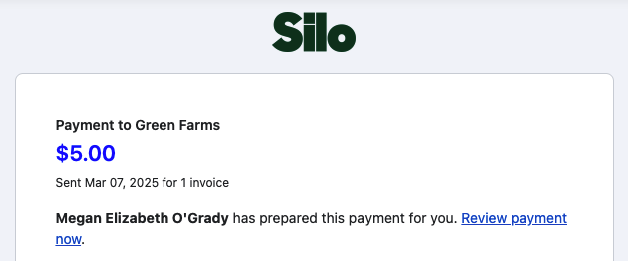
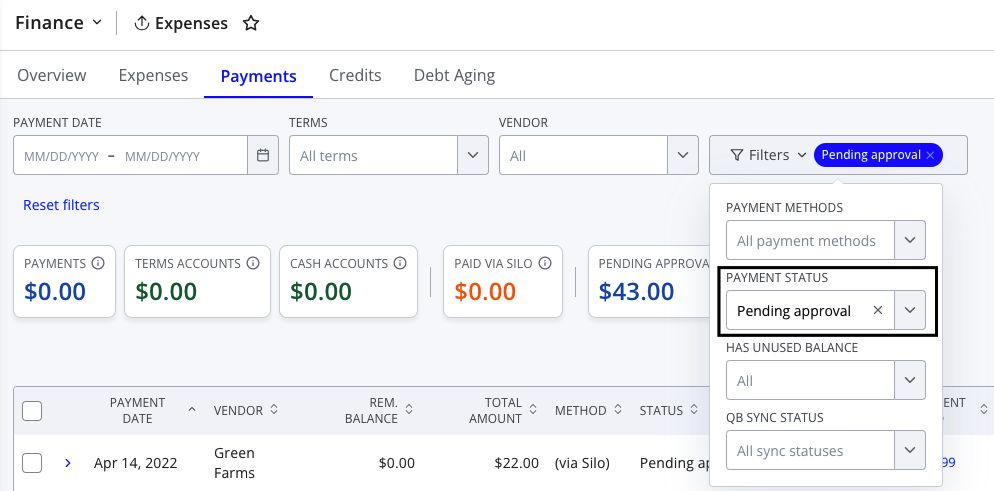
The approver can review the payments by pressing the link in the email or by navigating to Finance > Expenses > Payments and filtering for a payment status of "Pending approval".
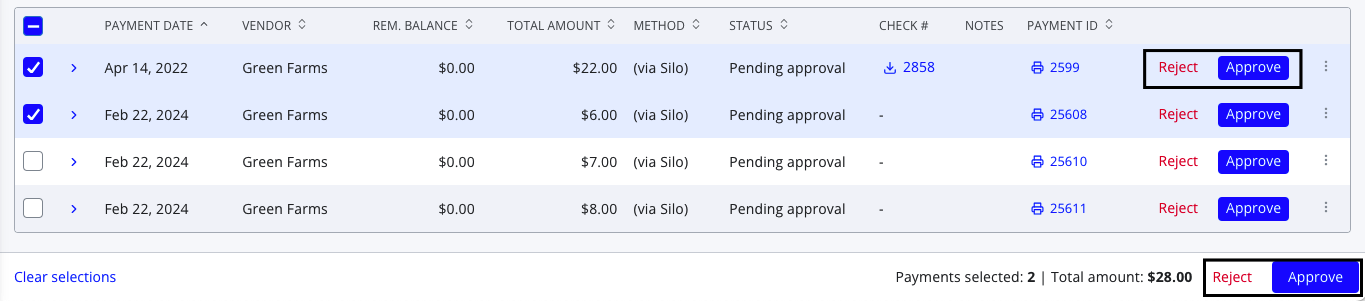
They can choose to either approve the payment (which sends it to the vendor) or reject it (with or without a note). If a rejection note is entered, it will be appended to the beginning of the payment note and visible to the user who originally submitted the payment in the Notes column on the Payments screen. Actions can be taken on each payment individually using the in-line buttons, or the user can select multiple payments to bulk approve or reject with a single click.
If you would like to set up additional employees to approve payments or have any additional questions regarding the payment approval feature, please contact support@usesilo.com.