To reassign lots from within a sales order:
- Navigate to Orders > Sales Orders > All Orders.
- Adjust the filters or search as needed to locate the desired sales order.
- Open the SO and press Edit order in the action footer.
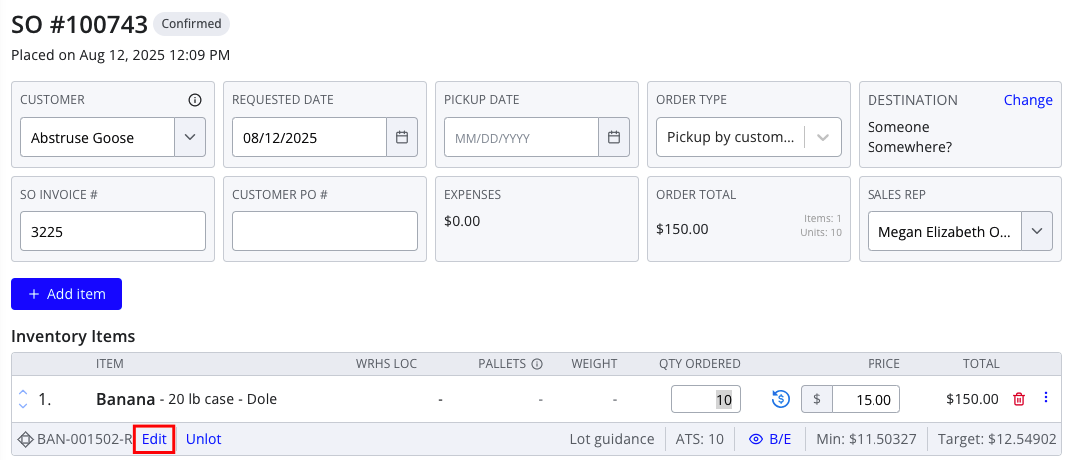
- In the item footer, press Edit (if the item is already lotted) or Choose lots (if the item is unlotted).
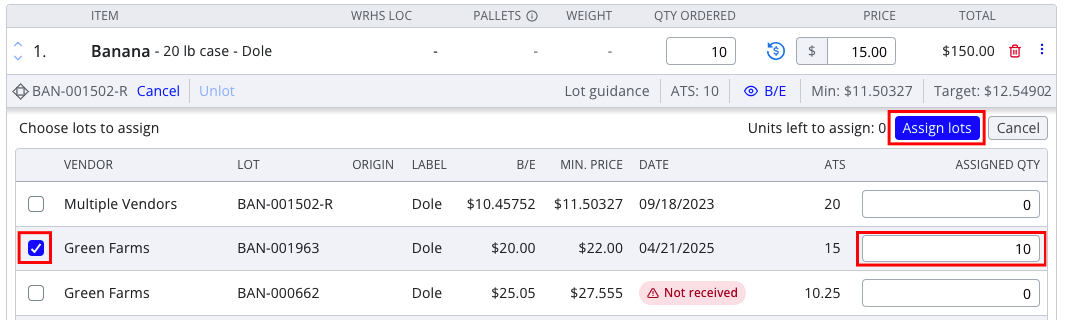
- Use the checkboxes and Assigned Quantity field to adjust the lots assigned to the item.
- Press Assign lots to accept your new lot assignments.
- Press Save order to save your changes.
For more information about reassigning lots via the Sales Transfer workflow, see: