By default, emails sent from Silo to customers or vendors from will display "Silo" as the sender (or "Payment Reminder", in the case of emails related to the customer payment portal).
If you want your business name to appear as the sender, an Administrator can turn on the Show business name as sender name setting.
Please note that turning this feature on can make your emails more likely to be flagged as spam, which may result in customers not receiving your communications.
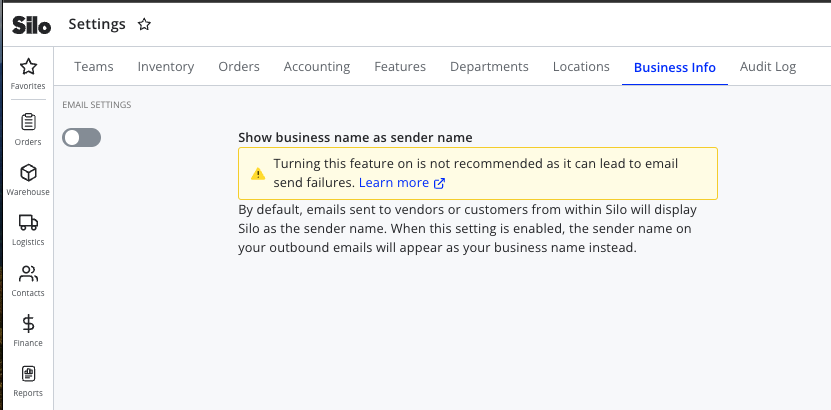
To enable this feature:
- Navigate to Settings > Business Info
- Toggle on the Show business name as sender name setting. Any updates you make to this toggle will save automatically.
For further information on how to whitelist emails to avoid having them marked as spam, please see the following articles: