Why would you want to delete a repack?
If you make a mistake creating a repack that cannot be corrected by editing—for example, you repack a lot from the wrong location or repack a non-organic item instead of an organic one—you may need to delete the repack to correct your documentation.
To delete a repack:
- Navigate to Warehouse > Lots
- Search for the lot # (of either the input or output lot)
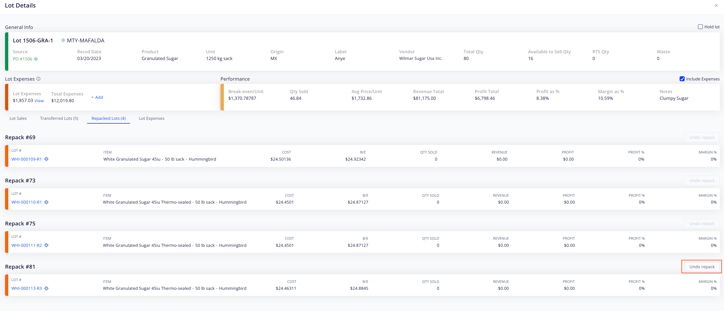
- Locate the input lot and click on the orange diamond icon on the left-hand side to open the Lot Details window
- Go to the Repacked Lots tab
- Locate the repack and press the Delete repack button to the right of the repack #