What Is a Price Sheet?
Price sheets allow you to set a price for each item in you inventory for a specific group of customers (e.g., restaurants or wholesale customers). Price sheets can be shared with your customers via email or printout, and they can also be used internally to provide your salespeople with more accurate pricing guidance based on the customer they select when creating a sales order. You can have both parent price sheets, where each item's price is set independently, and dependent price sheets, "pricing tiers" where each item's price is a set percentage higher or lower than the price from another price sheet (although these defaults can be overridden).
How to Create a Price Sheet
- Navigate to Orders > Price Sheets
- Press the New price sheet button on the right side of the screen to create a new parent sheet, or Create dependent price sheet to below an existing price sheet to create a new price sheet that is dependent on it
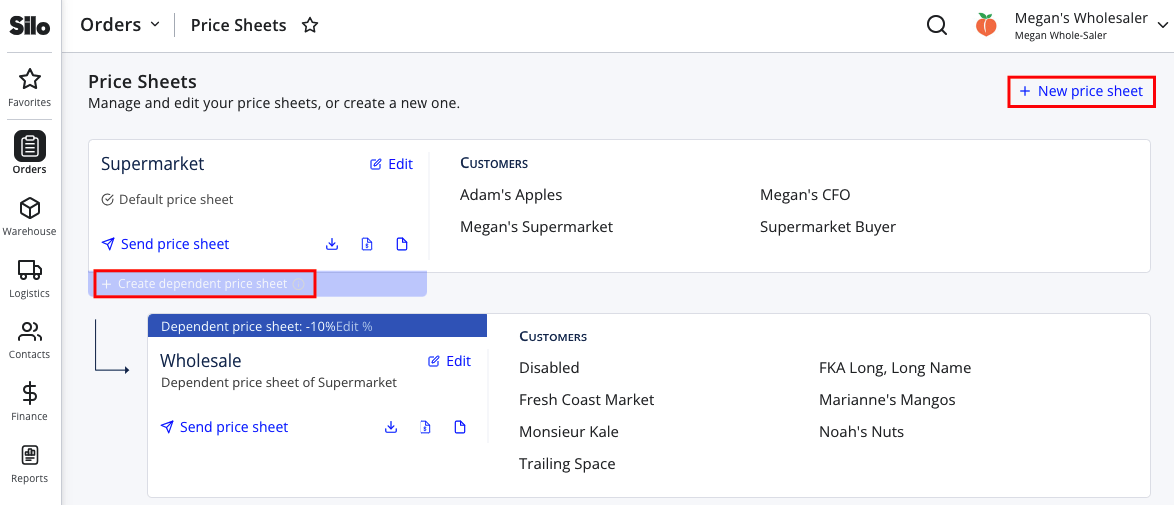
- Enter a name and description for a parent price sheet, or a name and markup/markdown percent for a dependent price sheet
- Press Create price sheet to finish saving the price sheet
- Navigate to Contacts > Customers
- Search for and select a customer you wish to assign to the price sheet
- Press edit icon next to the Price Sheet heading in the top right of the screen
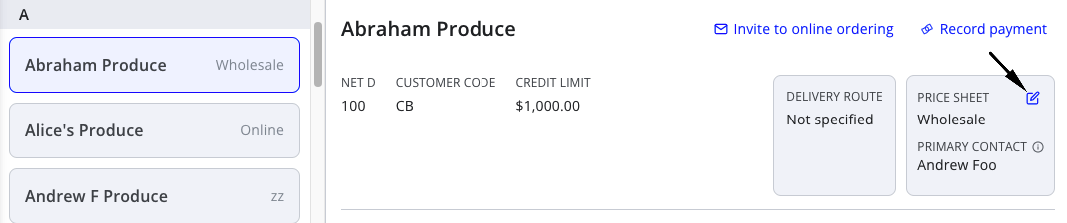
- Select the price sheet you created from the dropdown (and adjust the contact whose information should display on the price sheet, if needed) and press Save changes
- Repeat for any additional customers that should be added to the price sheet
- Navigate to Warehouse > Inventory > Pricing and select the price sheet you just created
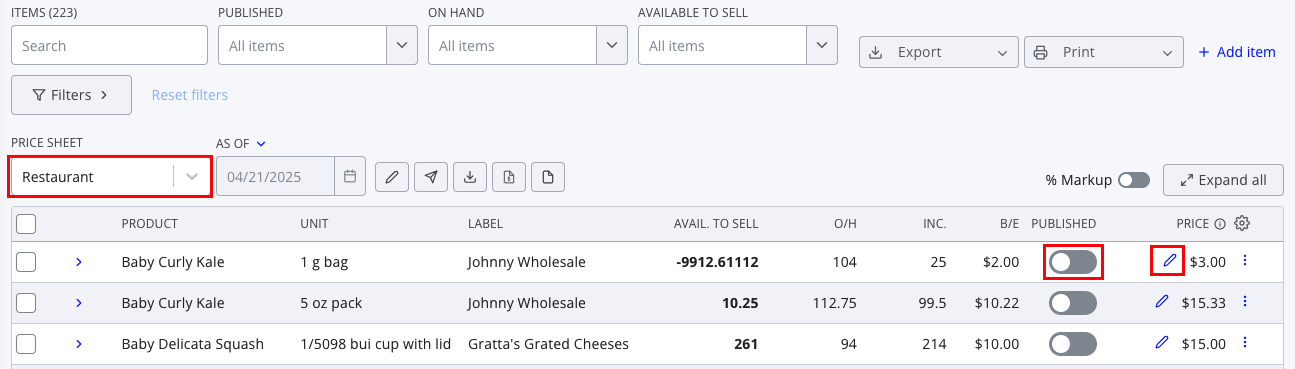
- Use the pencil icons to edit prices as needed (on dependent price sheets), or edit the price field directly (on parent price sheets)
- Use the toggles to publish the desired items
For more details about setting prices on price sheets, see the following article: