To cancel a sales order:
- Navigate to Orders > Sales Orders > All Orders
- Use the filters to locate the order you wish to cancel
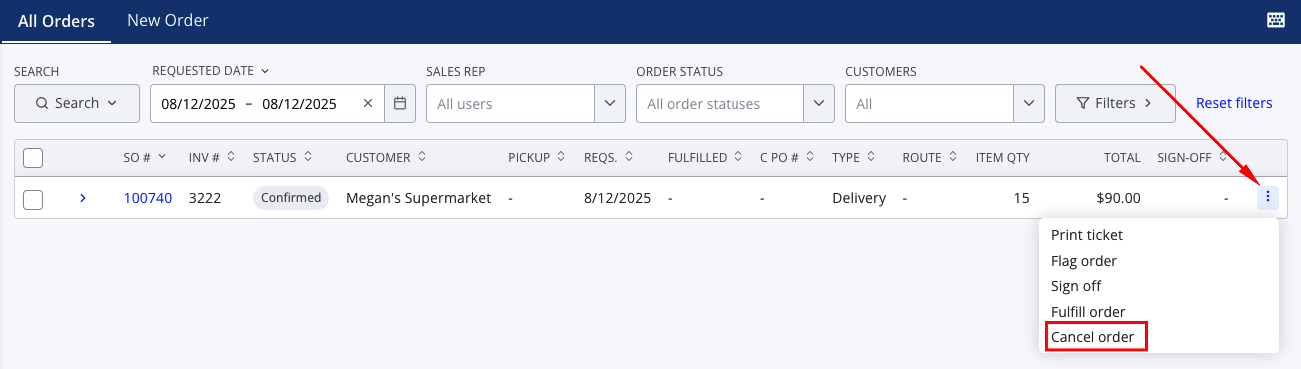
- Press the three vertical dots on the right side of the row and select Cancel order from the dropdown menu
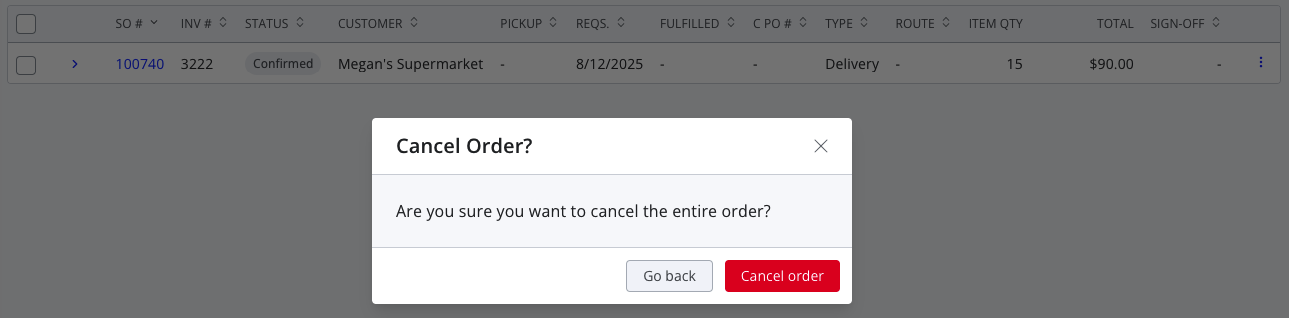
- Press Cancel order on the confirmation window
You should now see the order display as cancelled.

If you don't see the option to cancel the order, it may need to be unfulfilled or have any applied payments or credits unapplied first. If it's a credit invoice, it may first need to be unapplied. For more information about these workflows, see the following articles:
How to Mark a Sales Order as Fulfilled
How to Unapply a Credit from a Sales Order