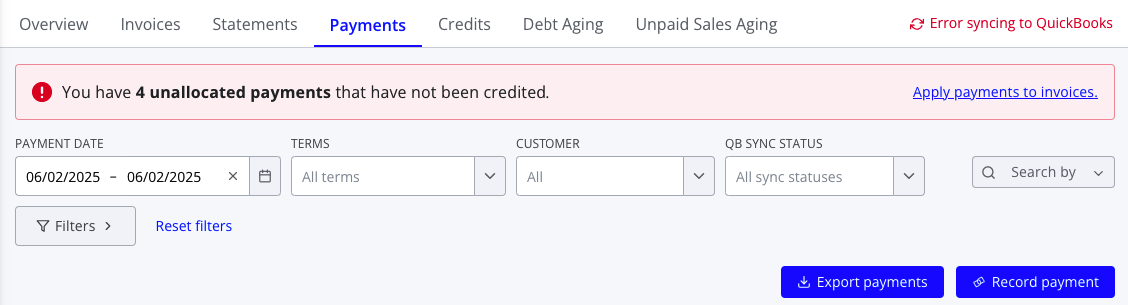
Unallocated payments arise when customer funds aren't able to be matched to specific invoices or transactions. They are similar to overpayments, where the customer remits more money than is owed so the payment is left unapplied.
In order to allocate an unallocated payment:
- Navigate to Finance > Sales > Payments.
- Look at the top of the screen—if your account has any unapplied payments, you should see a banner with the option to apply payments.
- Press Apply payments to invoices. in the banner
- Select the customer you wish to apply payments for and press Select customer
- Confirm that the correct credits to apply are selected in the table on the left and the correct invoices to apply to are selected in the table on the left. If needed, you can edit the amount of each credit being applied.
- Press Apply credit to finish applying the payments