The Finance > Expenses > Expenses screen allows users to view all of their payables and slice the data using the various filters provided. There are three kinds of expenses that drive Accounts Payable:
- Purchase Orders: POs are an expense in the sense that the user has to pay money to buy the items listed in POs.
- Expenses: these are additional expenses incurred by the user, such as Freight, Labor, Inspection cost, etc. They can be associated with a purchase, lot, sale, or transfer, or they can be independent. They appear here if those are marked as payable (by selecting the 'Yes, add to AP' checkbox in the expense creation workflow).
- Returns: when the user returns some items to the vendor, it creates a negative balance towards the AP total.
Calculations
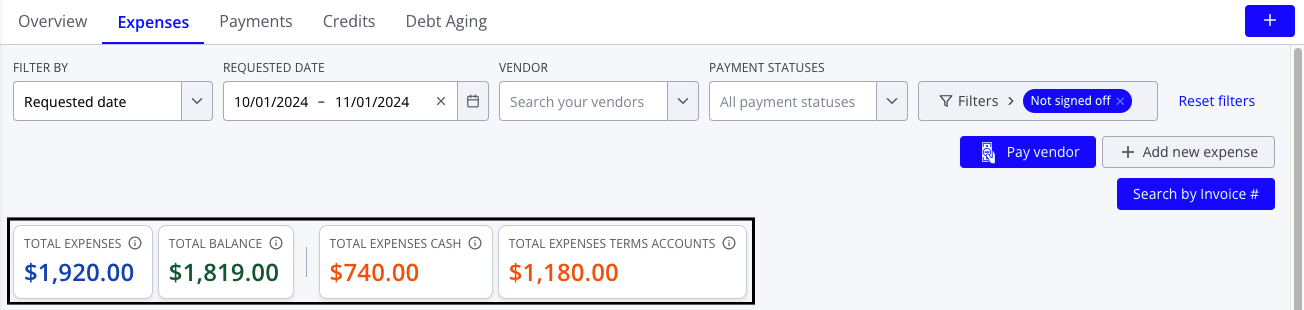
Summary bubbles at the top of the Expenses screen give high-level summary information for all expenses matching the selected filters. Each bubble includes an info tooltip with more information about how it is calculated.
- Total Expenses: sum of all listed POs and expenses, not including returns
- Total Balance: sum of the remaining balance field for all listed POs, expenses, and returns
- Total Expenses Cash Accounts: sum of all listed POs and expenses for vendors with Net D = 0
- Total Expenses Term Accounts: sum of all listed POs and expenses for vendors with Net D > 0
For further information on managing expenses, please see the following: