Overview
The audit log provides an edit trail of all changes made to purchase orders, sales orders, payments, products, repack templates, and bank reconciliation entries. There is also limited auditing for users, lots, repacks, vendors, customers, expenses, account settings, and manual journal entries.
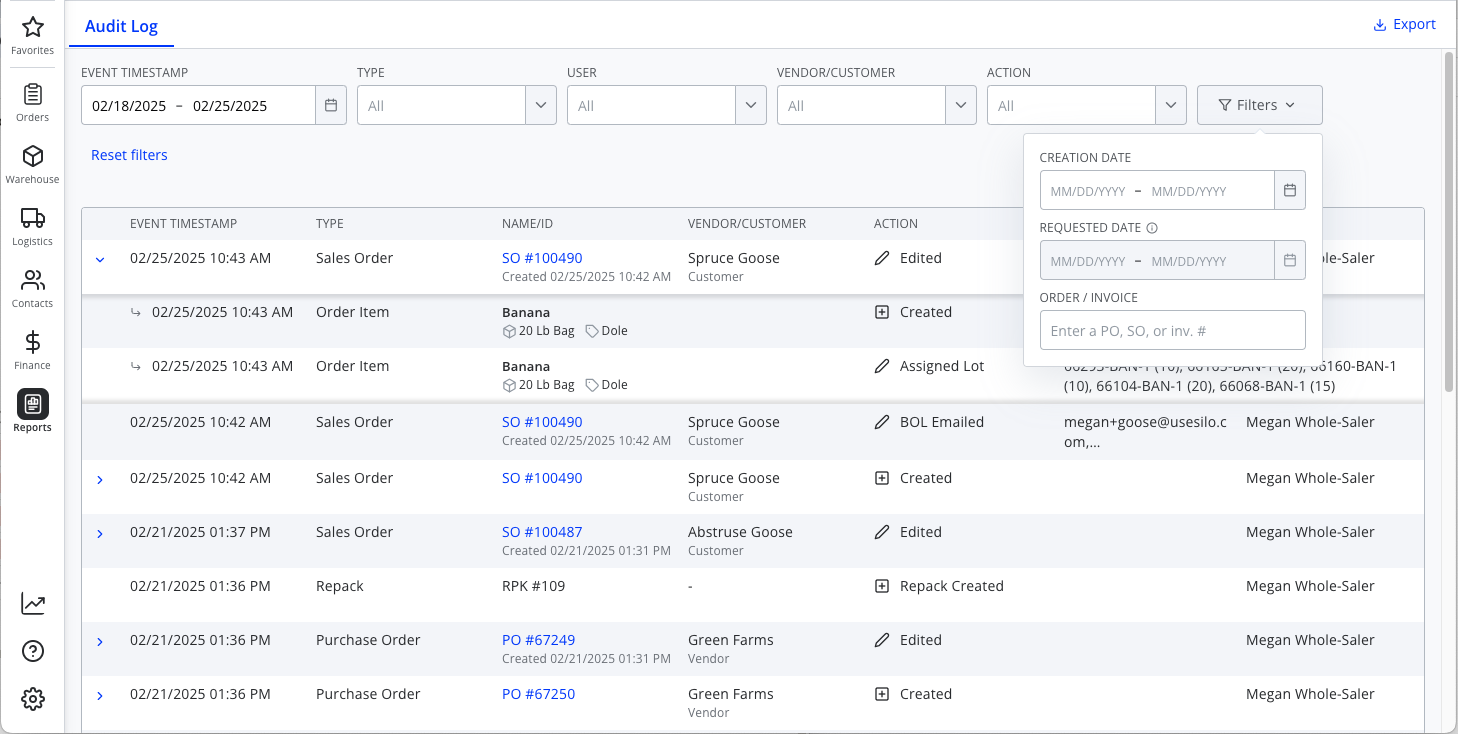
Each entry in the audit log shows the following information:
- Date and time that the action occurred (in the account time zone)
- The type of resource or transaction on which the action was taken (e.g., Sales Order, Payment)
- The name or ID of the affected resource or transaction
- If the action isn't the initial creation, the date and time the resource/transaction was originally created will appear below its name
- The vendor or customer for the transaction (if applicable)
- "Vendor" or "Customer" will appear below the name to distinguish between the two
- The action taken
- Additional details of the action (if applicable)
- The name of the user who took the action (or their email address if they don't have a name on file)
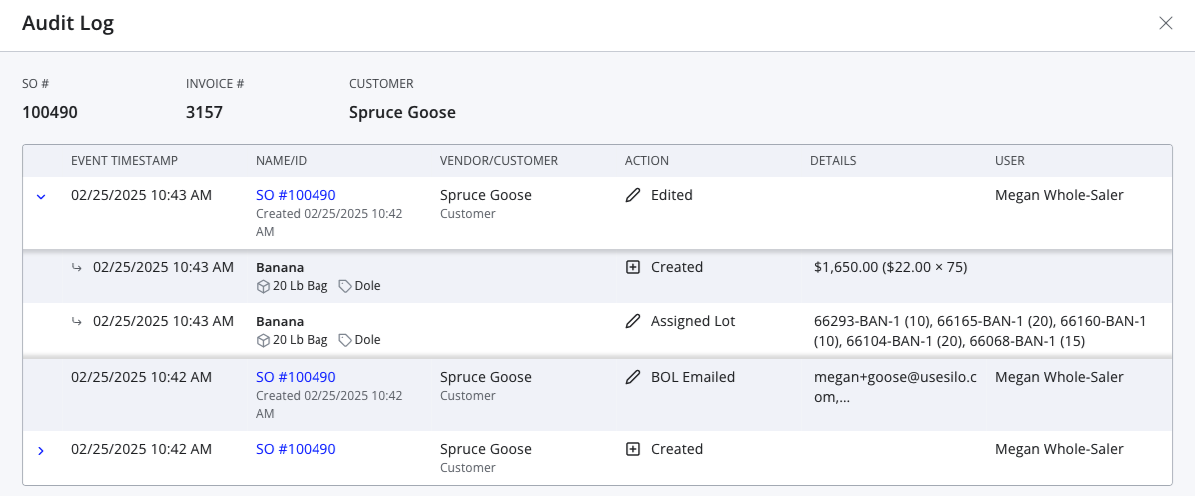
Some actions may have additional sub-actions—for example, if the parent action is editing an SO, there would be additional sub-actions for each field that was edited. If this is the case, a chevron will appear on the left of the row that you can click to expand the additional detail rows.
You can filter the audit log by the event timestamp, type of affected resource or transaction, user who took the action, relevant vendor or customer, action taken, the creation date of the affected resource or transaction, the requested date of the affected SO (only available if filtering on type of Sales Order), or the affected order/invoice #. You can also use the Export button in the header to export your audit log entries to a .csv file to allow for more complex filtering.
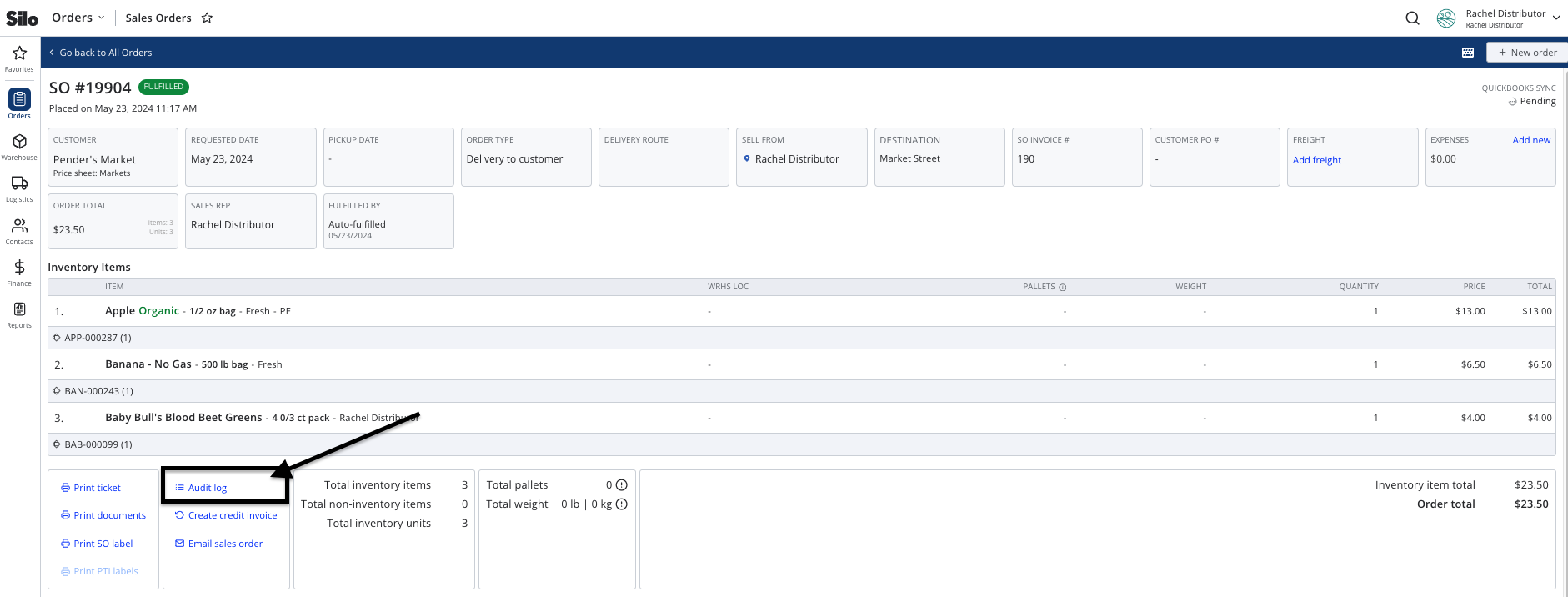
When viewing a purchase order or sales order, there is an Audit log link in the footer that shows actions taken on that specific order. There is also a global audit log only available to users with Global Audit Log permission that shows all edits across the platform. This can be viewed by navigating to Reports > Audit Log.
Order-Specific Audit Log
Global Audit Log