The Finance > Sales > Debt Aging and Unpaid Sales Aging screens provide two ways to break down the money owed to you by your customers.
Debt Aging breaks down outstanding SOs by due date: future (requested date after the as-of date of the report), current (requested date on or before the as-of date but due on or after the as-of date), and aging overdue buckets (1-30 days overdue, 30-60 days overdue, etc.)
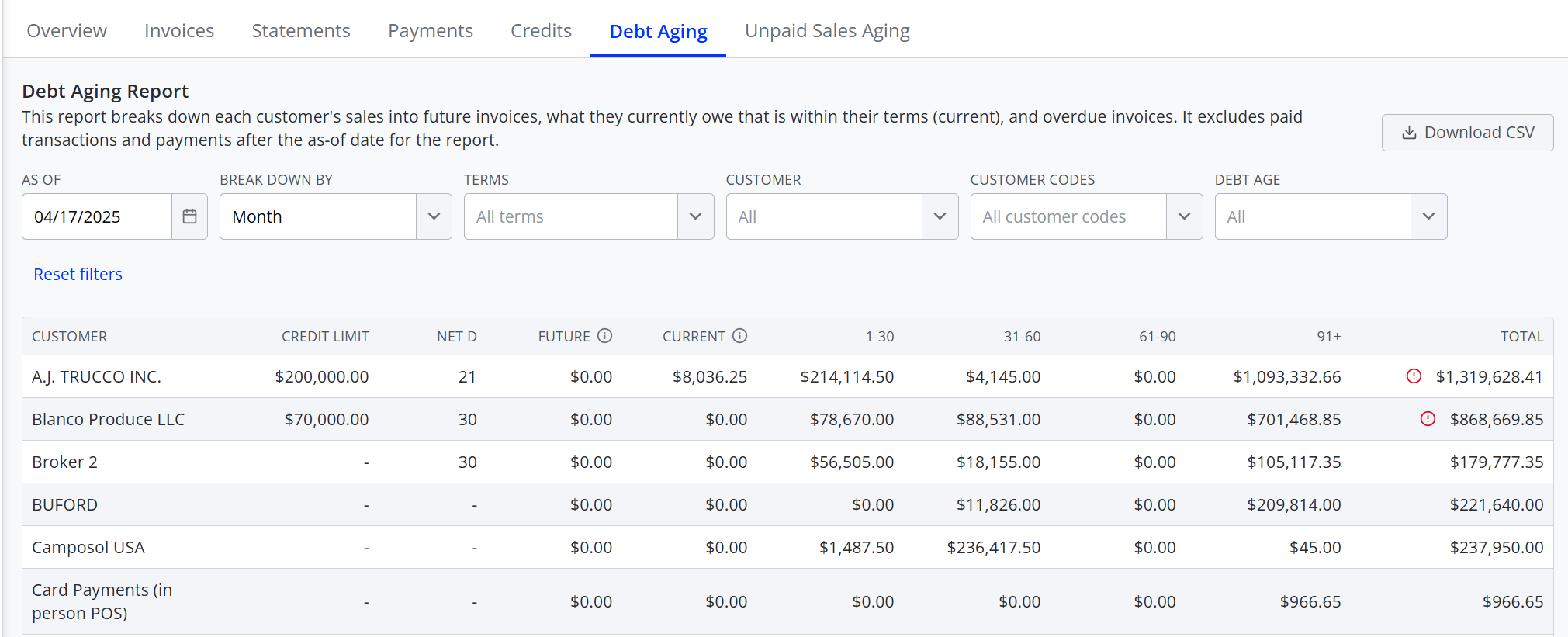
Unpaid Sales Aging breaks down outstanding SOs by when the sale occurred: future (requested date after the as-of date of the report) and aging buckets (requested 0-7 days ago, 8-14 days ago, etc.).
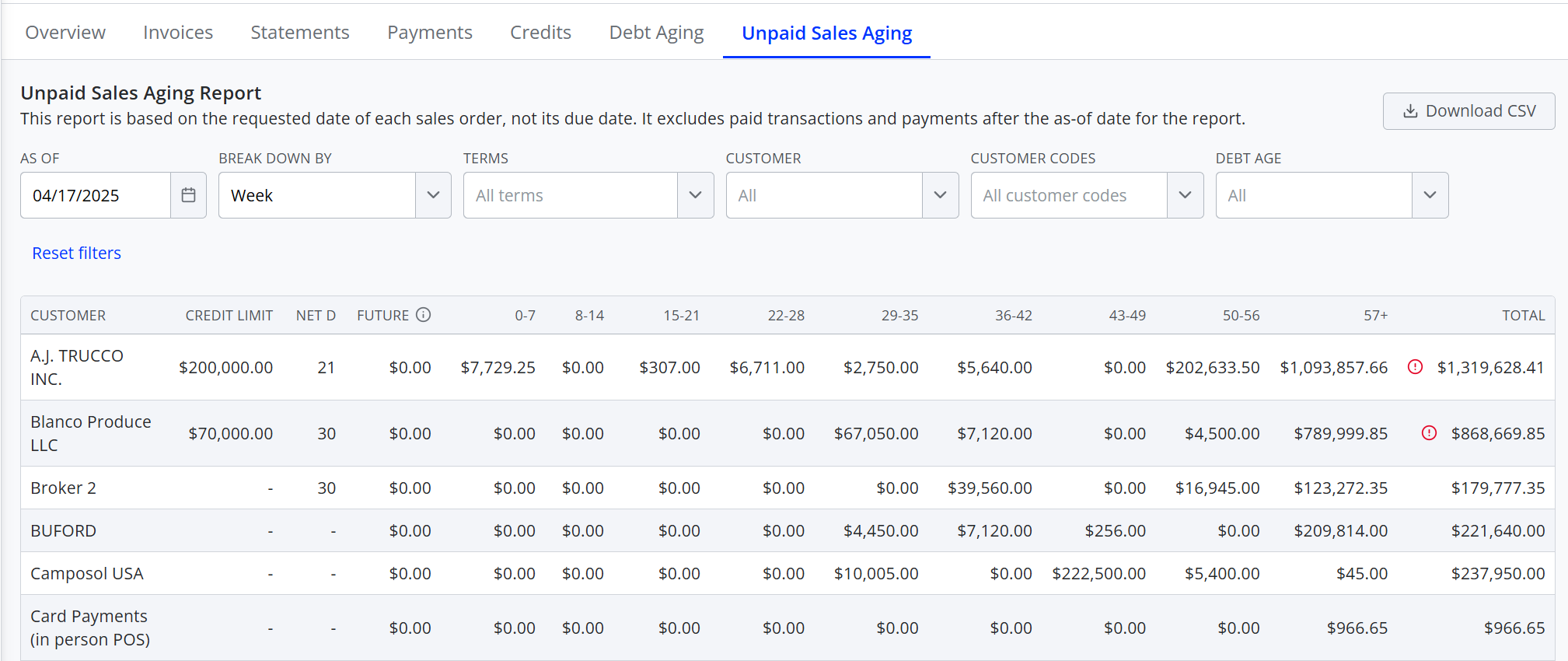
Since both reports only reflect the outstanding balance due from each customer, paid SOs are excluded. Payments made after the as-of date for the report and credits and overpayments that have not yet been applied also will not count towards the balances shown.
Both reports default to showing aging as of today, but can be adjusted to show values as of any date. They can be broken down by week or month and filtered by cash vs. terms customers, customer codes, or specific customer. You can also filter by debt age, showing only customers with debt of a certain age. Note that when using this filter, it doesn't hide other debt for the customers shown. For example, if you filter for debt age of 91+ days, all customers who don't have any 91+ day old debt will be hidden, but you'll still be able to see the debt newer than 91 days old for the customers shown.
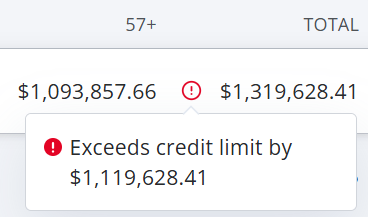
For additional context, both reports include each customer's Net D terms, their credit limit, and a warning icon if the customer's total balance exceeds their credit limit (with a tooltip indicating how far over they are).
If you wish to further filter or manipulate the data, you can also download either report as a .csv file.
For more information on the reviewing your AP debt aging, see the following article: